
Application Build 3.4 and UC 3.0.12
February 2026
Release 3.4 enhances workflow execution reliability by addressing network instability and distributed processing issues. It introduces new quick-access capabilities directly from the Dashboard, refines the distinction between Requests and Tasks grids, expands contextual information in email notifications, and enriches the Analytics engine with additional workflow-related data for improved reporting and analysis.
Key feature enhancements include:
- Workflows: Improved resilience through Auto-Retry Policies
- UX / UI updates: Enhanced user experience across the Dashboard and Requests/Tasks areas
- Analytics: Addition of new report types and enriched data insights
- Requests / Tasks Grids: Advanced filtering and search functionality
- Email Notifications: Ability to send analytics reports as email attachments
- Connectors: Extended integration data processing
This release significantly strengthens system reliability, expands analytical capabilities, and enhances overall usability across workflow management, reporting, and integration processing.
New Features Enhancements
Auto Retry Policy Configuration per Workflow Type
This release introduces configurable Auto-Retry Policies at the workflow type level, improving reliability and reducing manual intervention for transient failures.
- An Auto-Retry Policy, when enabled for a specific workflow type, automatically re-executes failed requests. Failures caused by transient conditions—such as network connectivity issues, service throttling, or temporary service unavailability—can often be resolved through automated retries, reducing the need for manual intervention.
- Retry behavior is fully configurable. Administrators can define whether retries occur once or multiple times, as well as configure fixed or progressively increasing (backoff) intervals between attempts. This flexibility allows retry strategies to be aligned with infrastructure requirements and external system constraints.
- When enabled, the Auto-Retry Policy applies to all requests of the selected workflow type, regardless of the integration context or triggering mechanism (manual or scheduled), and can be canceled directly from the request details page.
 Auto Retry Policy Configuration
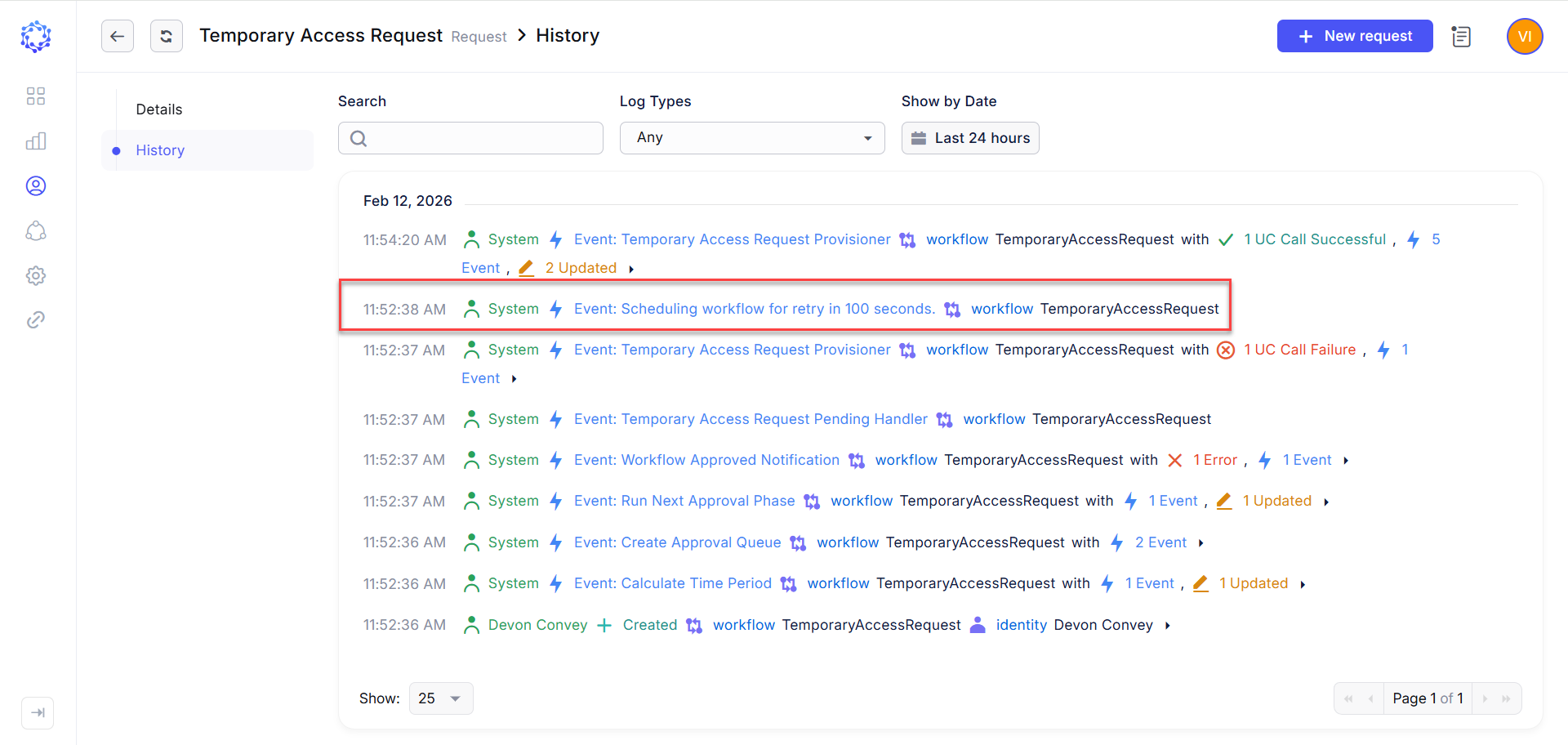 Logged Automated Retry Attempt
UX \ UI Updates
-
Running Requests and Tasks from Dashboard Widgets
This release introduces new Dashboard widgets that enable users to initiate frequently used requests and tasks directly from the Dashboard. Users can execute common operations immediately upon accessing the system, improving efficiency and reducing navigation steps. For tasks, the widget includes a configurable selector that allows users to choose relevant tasks and arrange them in the desired order.
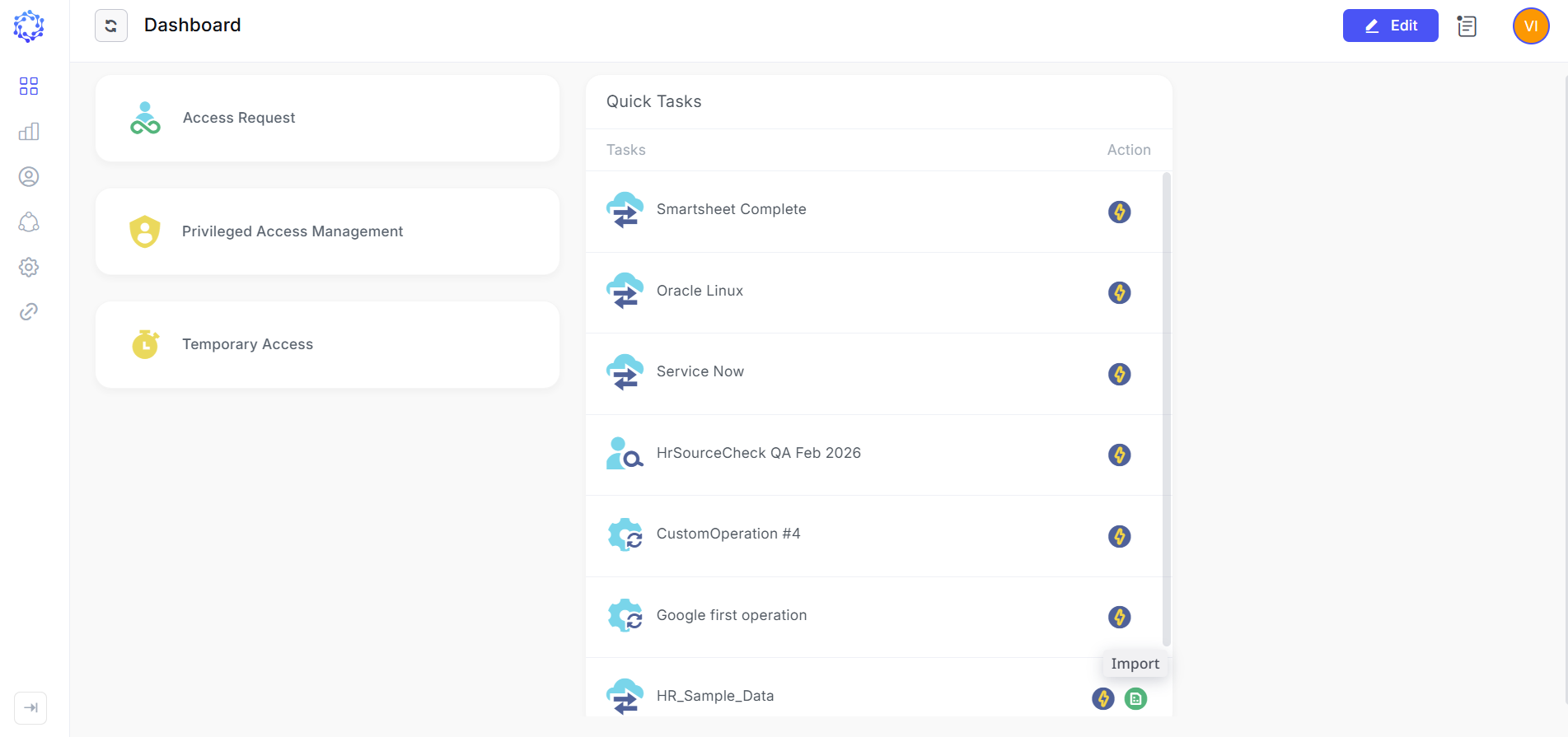 Running Requests and Tasks from a widget
-
Quick Access to My Information from Dashboard Widgets
This release adds a new Dashboard widget that provides direct access to personal identity information. The widget allows users to open the Details page within the My Access area with a single click, enabling faster access to information.
-
Quick Access to Filtered My Requests Grid
A new My Requests Dashboard widget provides direct access to the Requests grid, pre-filtered for the logged-in identity. The grid automatically displays requests where the user is either the creator or the beneficiary, enabling faster access to relevant items and improving overall efficiency.
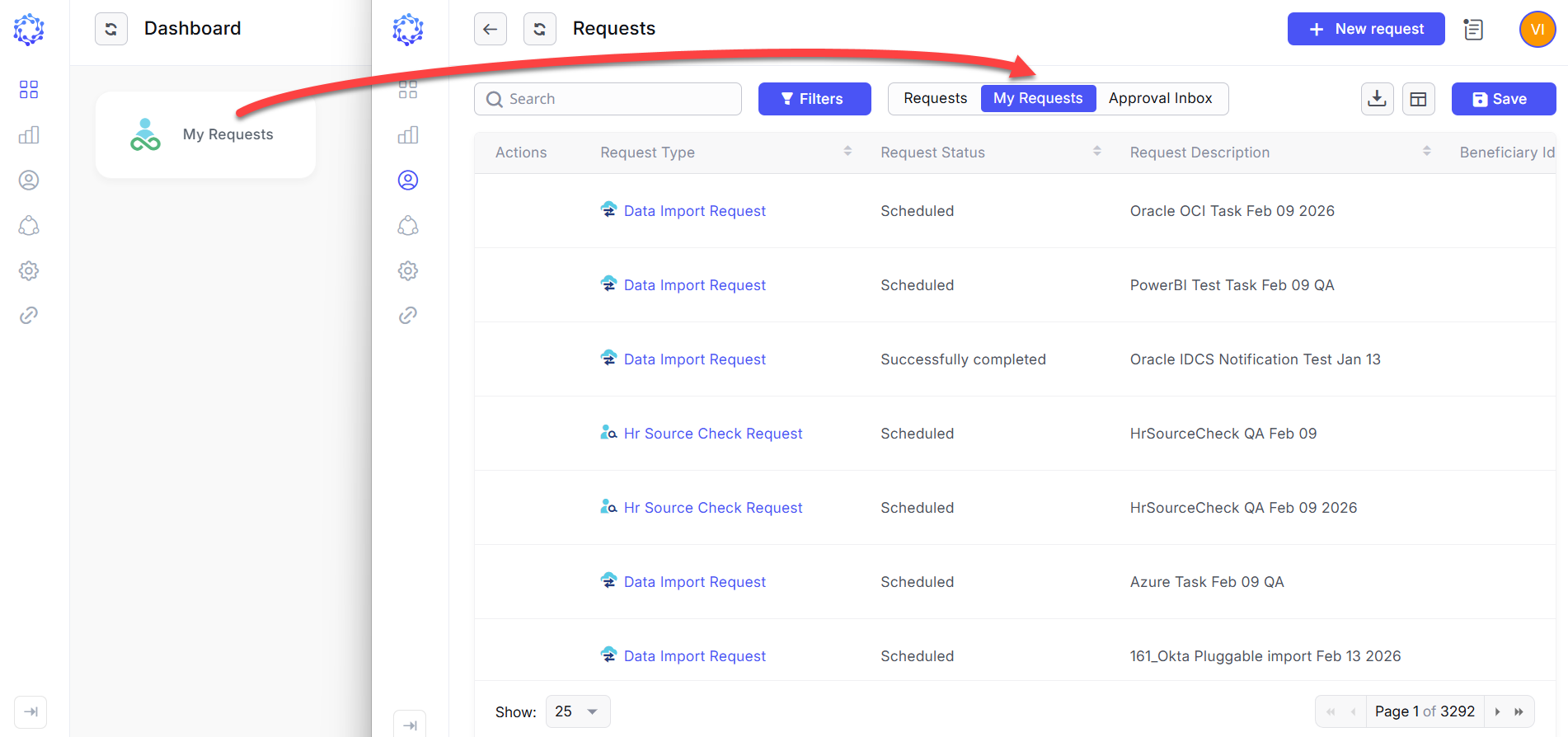 My Requests filtered grid
-
Requests and Tasks Grids Separated into Dedicated Pages
The Requests and Tasks grids are now presented on separate, dedicated pages, clearly distinguishing their purpose and execution model. Tasks function as reusable templates that define the configuration and parameters for generating executable requests, while Requests represent discrete execution instances. Once completed, a request instance cannot be reused or re-executed.
 Requests grid and Tasks grid
New Analytics report types for Requests and Tasks
Analytics now includes two new report types — Workflows Report and Tasks Report — expanding reporting coverage and enhancing insight into workflow lifecycle events. These reports provide structured visibility into approval chains, beneficiary access assignments, requester activity, execution status, and scheduled run history. In addition, optimized indexing improves search efficiency across workflow datasets.
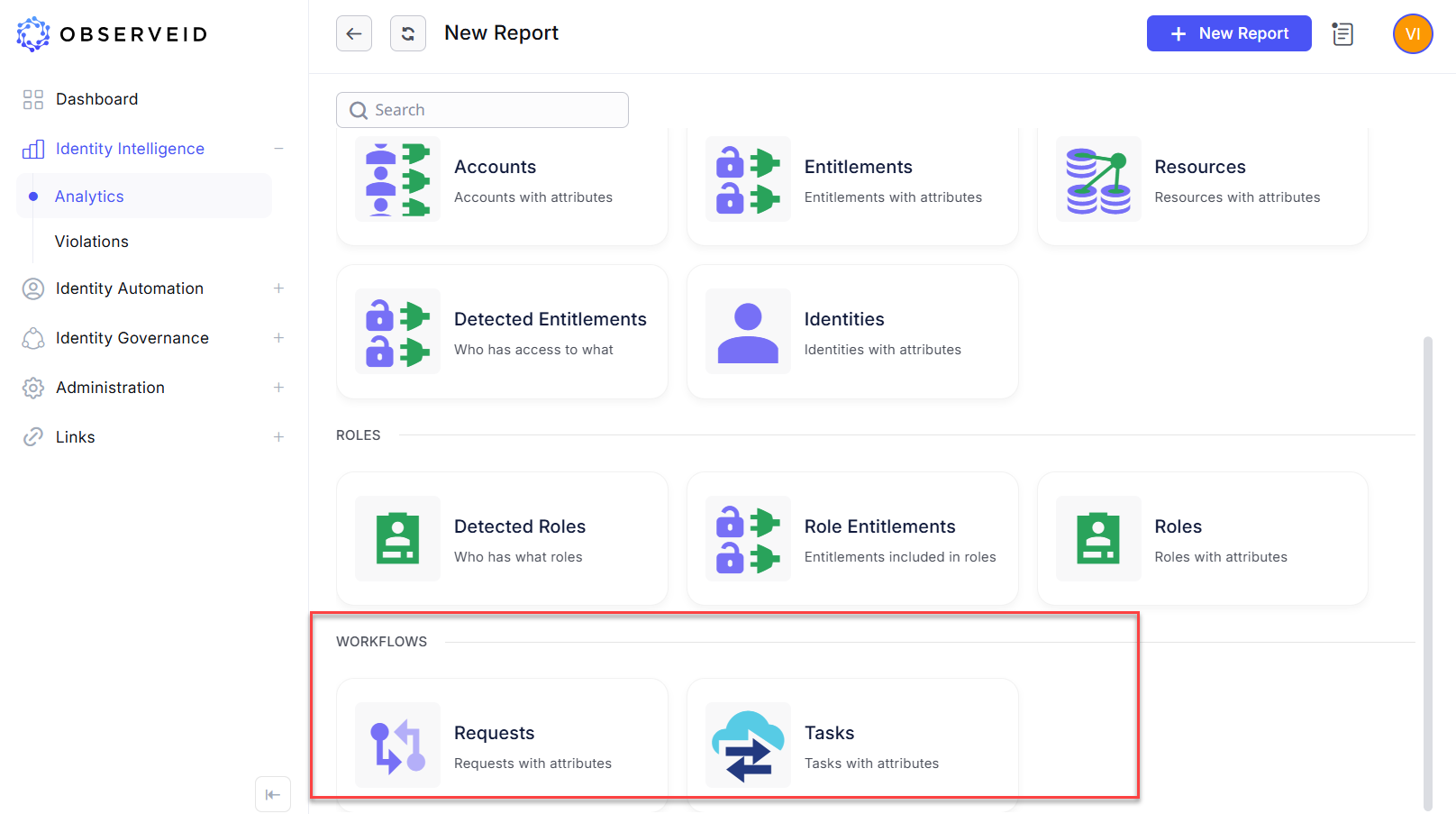 Workflows data in Analytics
Advanced Filtering and Search for Workflow Grids
All Workflow grids now include enhanced filtering and search capabilities. Users can apply basic filters—such as workflow type and status—for quick data refinement. For more advanced analysis, additional filters are available through the More option, along with the ability to customize and reorder grid columns and save configurations for future use. These enhancements provide greater flexibility in isolating specific workflow datasets, whether based on scheduling attributes, approval stages, or identity-specific criteria.
 Filters in Workflows
Scheduled Report Distribution with Secure Export Options
The Scheduling section of a report now allows users to configure the frequency of automated email distribution to selected recipients, delivering an exported snapshot of the report dataset. Reports can be exported in either PDF or CSV format, with configurable formatting options. Each exported file can be encrypted and protected with a password prior to being attached to the designated email template and distributed.
 Scheduled report distribution
Affected Components & Modules
- Workflows
- Analytics
- Dashboard
- Requests grid
- Tasks grid
- Scheduling of Analytics report export
- Email Notification
- Atlassian integration
- AWS integration
Note:
The release will be deployed during non-business hours to minimize disruption. Downtime is expected to be less than five minutes, and users are unlikely to experience any noticeable interruption.
References & Support
For detailed instructions or additional technical assistance, please your ObserveID support representative at [email protected].
Thank you for choosing ObserveID!