
Configuration for Atlassian integration operations
The base setup of the Atlassian integration enables successful data aggregation and synchronization. To support workflow automation, provisioning and reconciliation, additional integration configuration is required and described below.
Data Scope for Aggregation and Synchronization
Data aggregation and synchronization are performed in accordance with the defined integration data schema. The following Atlassian integration settings can be used to define the scope of the aggregated integration data. By default, none of these settings are enabled. In this configuration, the integration aggregates only Atlassian user accounts.
To expand the scope of the integration data, additional object types can be selected and specific Jira projects can be specified. During the data aggregation process, the selected data is retrieved, processed, and imported into the integration data model.
The configuration options available for controlling the data scope are described below.
- Pull Groups - When enabled, Atlassian groups are retrieved and included in the integration data during the data aggregation process.
- Pull Project Roles - When enabled, Jira project roles are retrieved and included in the integration data during the data aggregation process.
- Pull Project Tickets - When enabled, Jira issues (tickets) are retrieved and included in the integration data during the data aggregation process.
- Project Keys for Pulling - If one or more Jira project keys are specified as a comma-separated list, only data associated with those projects is aggregated and imported. If no project keys are specified, data from all accessible Jira projects is aggregated and imported.
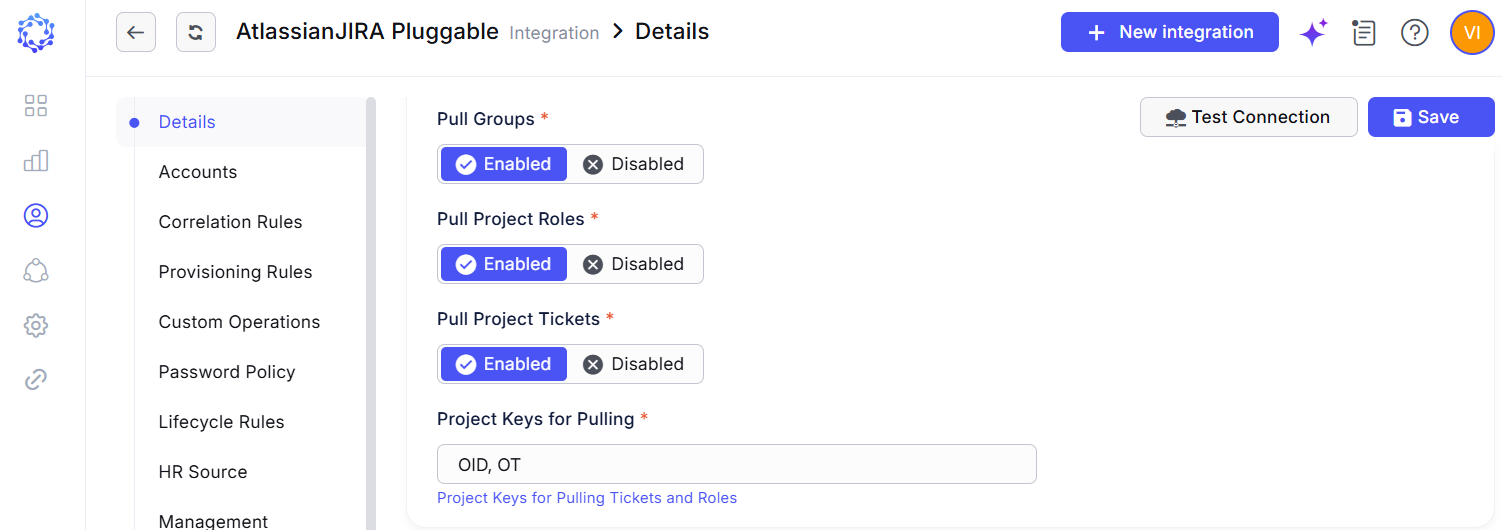 Atlassian integration data selectors
By aggregating access assignments across different permission types—such as groups managed in Atlassian Administration, project roles managed in Jira Administration, and issue assignments managed within Jira projects—ObserveID provides a consolidated view of all access associated with an Atlassian account.
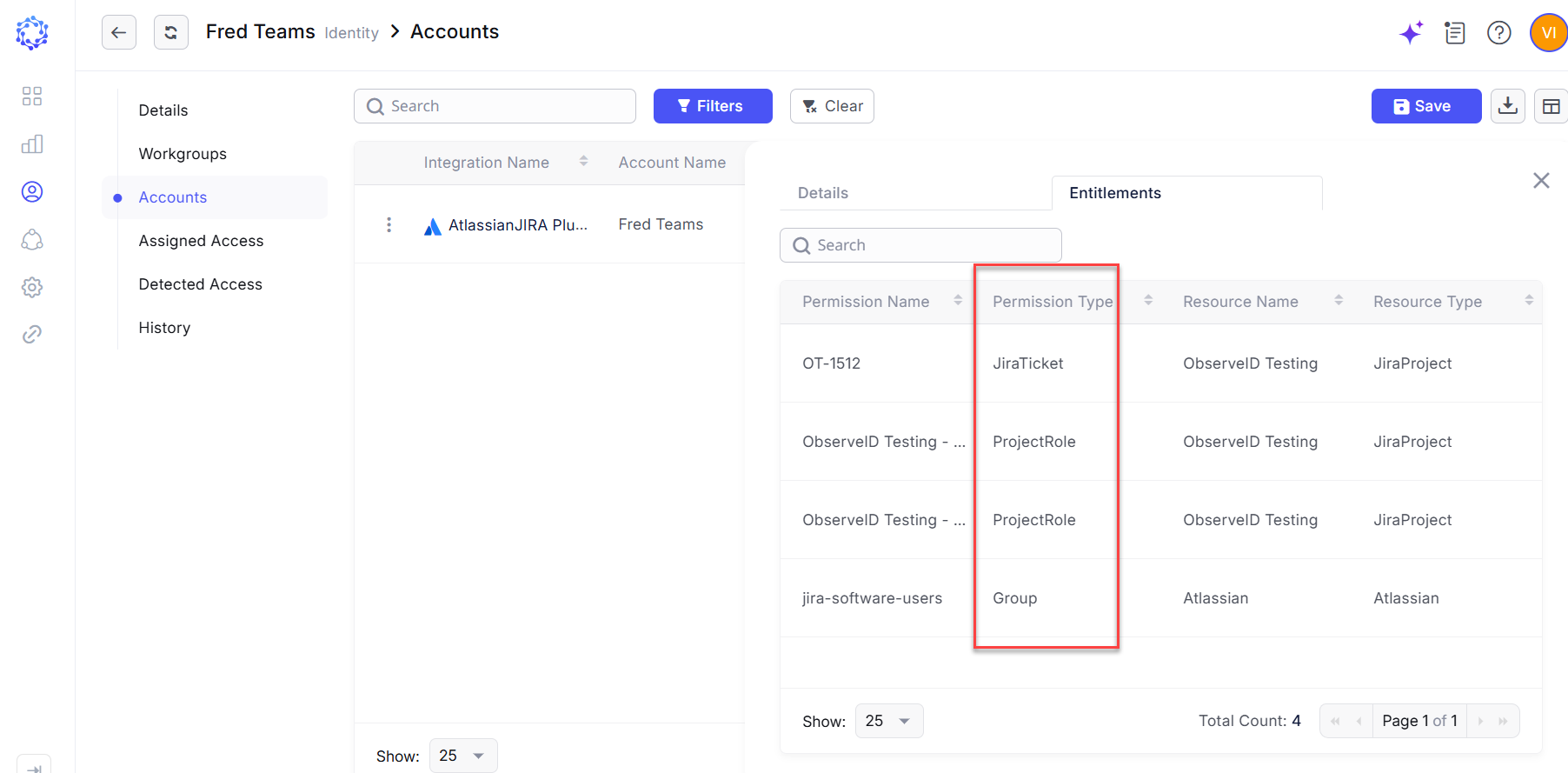 Atlassian account view
Identity lifecycle management
To correctly identify the identity owner of an account created directly on the Atlassian target system, and to determine the account type for subsequent access governance processes, at least the following rules must be configured:
- A Correlation Rule, which automatically assigns an account owner during the data aggregation process.
- A Customization Rule, which determines the account type based on the agreed account naming convention.
For detailed information about the input parameters and return values defined in the rule signature, ask the Obi AI Assistant.
Correlation Rule Code Sample
The sample implementation below uses the Identity Name attribute and the Name property of the Atlassian account to determine account ownership. If the two values match, the rule correlates the account to the corresponding Identity and establishes that Identity as the account owner.
In this example, the rule retrieves the Atlassian account, searches for an active Identity with the same name, and, if a match is found, returns the Identity as the owner of the account. If no matching Identity is found, the rule returns null, indicating that ownership could not be determined.
var account = readOnlyAccess360DbContext.Accounts
    .Where(x => x.IntegrationId == integrationId && x.Id == accountId && !x.Terminated)
    .SingleOrDefault();

if (account is not null)
{
     var ownerIdentityId = readOnlyAccess360DbContext.Identities
        .Where(x => x.Name == account.Name && !x.Terminated)
        .Select(x => x.Id)
        .SingleOrDefault();

     if (ownerIdentityId != default)
     {
         return new(ownerIdentityId, OwnerType.Identity);
     }
}

return null;
Customization Rule Code Sample
Determining account types through account naming conventions is generally not applicable for Atlassian account creation. During provisioning, only the Name and Email account attributes are available for input, and both attributes are expected to contain the user's email address. As a result, these attributes cannot be used to encode or infer an account type through a naming convention.
From a technical perspective, account type determination through a Customization Rule remains available during the data aggregation and synchronization process. However, this approach is typically of limited practical value for Atlassian-managed accounts because each account is associated with a unique email address and therefore represents a single account identity. Such an account may be classified as a User, Privileged, Temporary, or Orphan account, but the classification is generally established by the provisioning process rather than by the account name itself.
The sample implementation below demonstrates a customization rule that determines the account type based on the account naming convention during data aggregation. In this example:
- Accounts whose names do not begin with the prefixes adm_ or tmp_ are classified as User accounts.
- Accounts whose names begin with the prefix adm_ are classified as Privileged accounts.
- Accounts whose names begin with the prefix tmp_ are classified as Temporary accounts.
This approach is primarily intended for accounts that already exist on the target system and are subsequently aggregated into ObserveID. During the aggregation process, ObserveID evaluates the account name and determines the account type accordingly.
For accounts created through ObserveID provisioning requests, the account type is established automatically by the provisioning workflow and does not require a naming convention. However, for managed accounts, a naming convention can still be enforced by configuring an appropriate provisioning rule for an account attribute that supports updates and then executing an Identities Update request to synchronize the attribute value with the desired convention.
var accountName = readOnlyAccess360DbContext.Accounts
    .Where(x => x.IntegrationId == integrationId && x.Id == accountId && !x.Terminated)
    .Select(x => x.Name)
    .SingleOrDefault();

if (accountName is not null)
{
    if (accountName.StartsWith("adm_"))
    {
        return (AccountType.Privileged, null, null, null);
    }
    if (accountName.StartsWith("tmp_"))
    {
        return (AccountType.Temporary, null, null, null);
    }
}

return (AccountType.User, null, null, null);
In addition to determining the account type, the Customization Rule can be used to define account-level governance properties, such as AutoApproved, Requestable, and Rotatable.
If these properties are not explicitly defined by the Customization Rule, their values are inherited from the global settings configured at: ObserveID > Administration > Requests > Permissions If required, the inherited values can be overridden specifically for Atlassian accounts through the Customization Rule. These properties are Boolean values that determine whether the corresponding capability is enabled (true) or disabled (false) for the account. In the sample implementation below:
- AutoApproved is inherited from the global configuration.
- Requestable is set to true, allowing the account to be requested through the Requests process.
- Rotatable is set to false, preventing automatic credential rotation for the account.
- AccountType is set to User for all aggregated accounts.
return (AccountType.User, null, true, false);Access control and account administration
Configuration of Atlassian provisioning rules is required for account creation and for updating additional account properties. Each provisioning rule defines the value of a specific additional account property.
Some properties are mandatory at account creation, while others are optional. Provisioning rules for mandatory properties must be configured to enable successful account creation. Provisioning rules for optional properties may be configured as needed.
For Atlassian account creation, two required account attributes are populated through the Name and Email provisioning rules. Both attributes must resolve to the user's email address.
The value assigned through the Name provisioning rule is used as the account login identifier and is displayed during credential checkout, where it can be copied and used on the Atlassian sign-in page.
A sample implementation of the provisioning rule is provided below for reference. For detailed information about the input parameters and return values defined in the provisioning rule signature, ask the Obi AI Assistant.
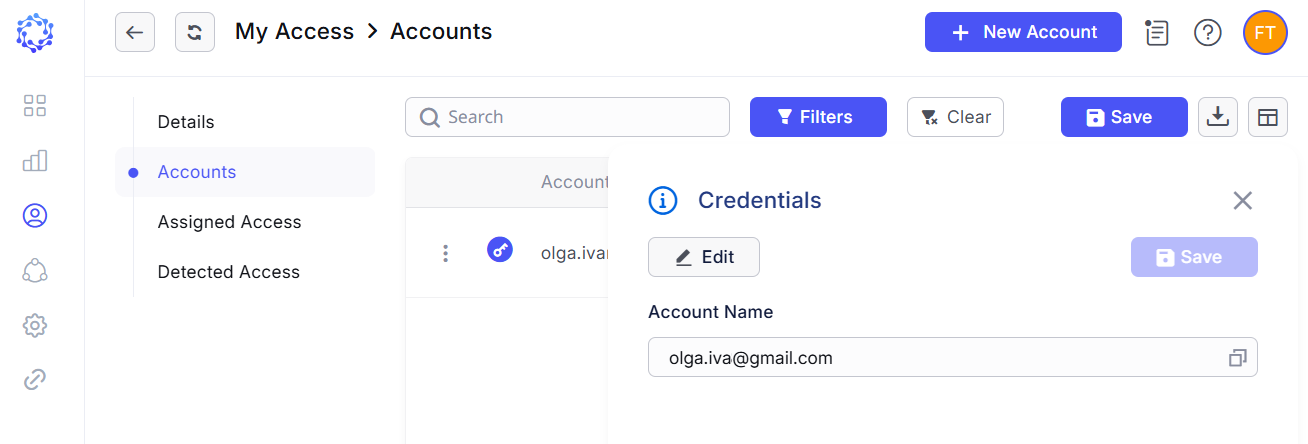 Atlassian account example created via ObserveID
var identityEmail = identity.Email;

return identityEmail;
Automated access provisioning for onboarding/reinstatement scenarios
To enable automated provisioning of Atlassian access during identity onboarding or reinstatement, corresponding birthright roles must be defined with the required Atlassian access assignments. This ensures that new identities are provisioned with accounts that include the specified Atlassian entitlements.
For existing identities, any reconciliation of Atlassian access is performed through an Identity Update request, in full alignment with the applicable birthright role assignment rule, which can be coded in C# or configured with the filters.
Manual Access Provisioning through Access Requests
Due to Atlassian's requirement that each account be associated with a unique email address, an identity can be associated with only one Atlassian account at a time. As a result, an identity cannot simultaneously maintain multiple Atlassian accounts of different ObserveID account types. For example, an identity may have either a User account or a Temporary account, but not both at the same time.
This limitation affects account lifecycle management through ObserveID Requests. Different request types may create or manage accounts with different account classifications. For example, a Permanent Access request may provision a User or Privileged account, while a Just-in-Time request may provision a Temporary account.
If an identity already has an Atlassian account classified as a User account and requires a Temporary account instead, the existing account must first be deprovisioned, and then a Just-in-Time request can be executed to establish the account in the required type and to make new access assignments.
It is important to note that Atlassian does not support complete account deletion as part of its standard account lifecycle model. Consequently, account type changes are implemented through a combination of access deprovisioning, entitlement removal, account suspension, and subsequent account reactivation with a different set of access assignments. From the user's perspective, this process appears as a transition between account types; however, at the Atlassian platform level, the same underlying account remains associated with the identity's email address.
Automated access termination for offboarding scenarios
The Termination Rule of the Atlassian integration defines how to handle the Atlassian account at the end of the lifecycle, when the identity is offboarded. The following account termination behavior options for Atlassian are available:
.LockAndRemoveAllEntitlements- removes all assigned entitlements and then puts the Atlassian account into the suspended status..LockAndRemoveEntitlements- defines which entitlement to remove before moving the account into the suspended status..Lock- puts the Atlassian account into the suspended status..Delete- removes access of the Atlassian account to the organization..DoNothing- leaves the Atlassian account unchanged.
For detailed information about the input parameters and return values defined in the rule signature, ask the Obi AI Assistant.
The basic behavior is illustrated in the sample implementation of the Termination Rule shown below, where all accounts are processed uniformly and subject to the same termination logic.
return (AccountTerminationBehavior.LockAndRemoveAllEntitlements, null, null);The following sample implementation checks whether the account has a specific detected entitlement. If the entitlement is present, the rule removes the entitlement and then locks the account. In all other cases, the rule performs only the account status change.
var accountExists = await readOnlyAccess360DbContext.GetAccountsQueryable(false)
    .Where(x => x.Id == accountId)
    .Where(x => x.IntegrationId == integrationId)
    .Select(x => new
    {
        x.Id
    })
    .AnyAsync(cancellationToken);

if (!accountExists)
{
    return (AccountTerminationBehavior.DoNothing, null, null);
}

var entitlementIdsToRemove = await readOnlyAccess360DbContext.AccountEntitlements
    .Where(x => !x.Terminated)
    .Where(x => x.AccountId == accountId)
    .Where(x => !x.EntitlementGrant.Terminated)
    .Where(x => !x.EntitlementGrant.Entitlement.Terminated)
    .Where(x => x.EntitlementGrant.Entitlement.Description == "the name of the specific detected entitlement")
    .Select(x => x.EntitlementGrant.EntitlementId)
    .Distinct()
    .ToListAsync(cancellationToken);

if (entitlementIdsToRemove.Count > 0)
{
    return (AccountTerminationBehavior.LockAndRemoveEntitlements, null, entitlementIdsToRemove);
}

return (AccountTerminationBehavior.Lock, null, null);
Custom Integration Operations
Upon request, the Atlassian integration can be extended with custom operations implemented on an ad hoc basis and tailored to the specific needs of an organization. This enables the creation of customized functional capabilities designed to meet unique business requirements.