
Detailed Prerequisites Guide
Ensure that you have Atlassian Organization Administrator permissions.
The following tutorial describes the prerequisite activities required before configuring the Atlassian integration. These activities are primarily performed within the Atlassian platform. For instructions on configuring the integration in ObserveID and executing the initial data aggregation process, refer to the Base Setup guide.
-
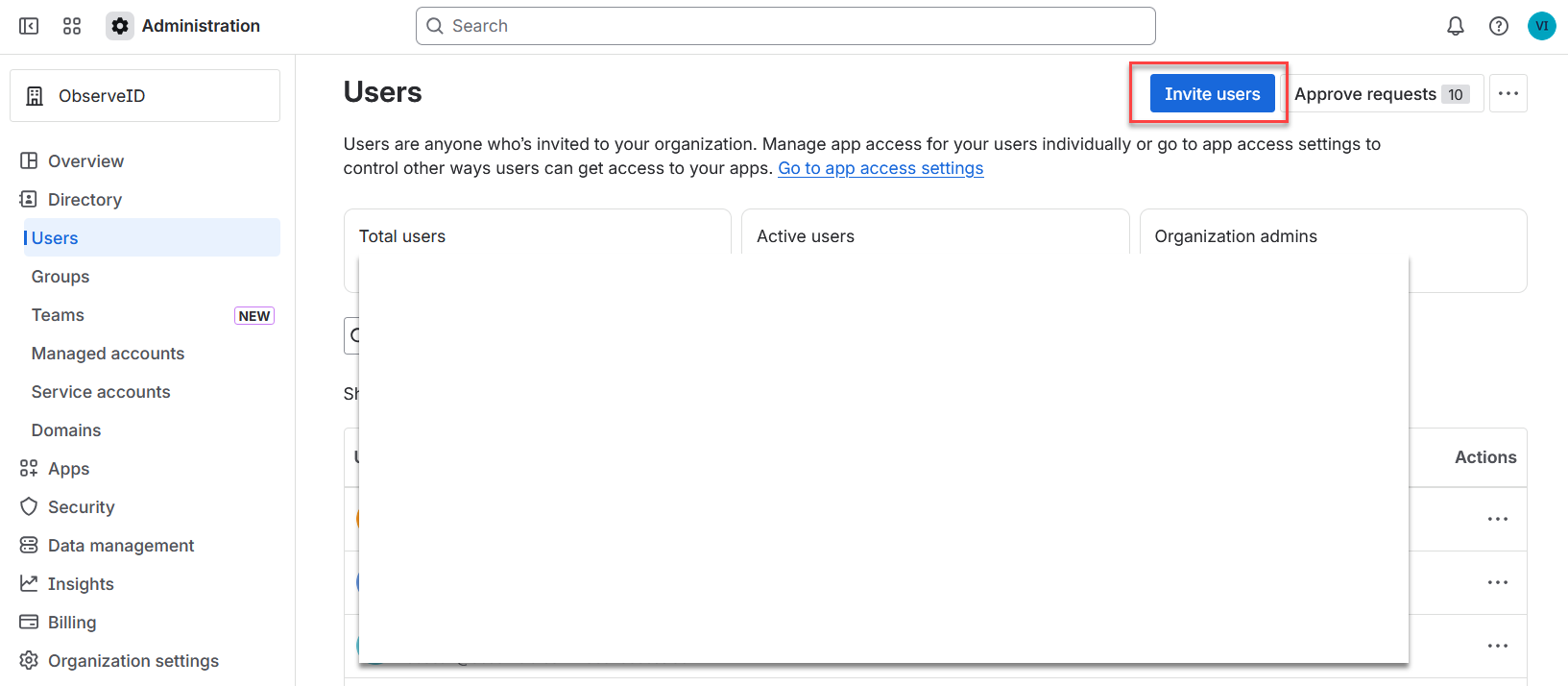
Open the Atlassian Administration portal at: https://admin.atlassian.com/ and navigate to: Directory > Users, then click Invite users.
-
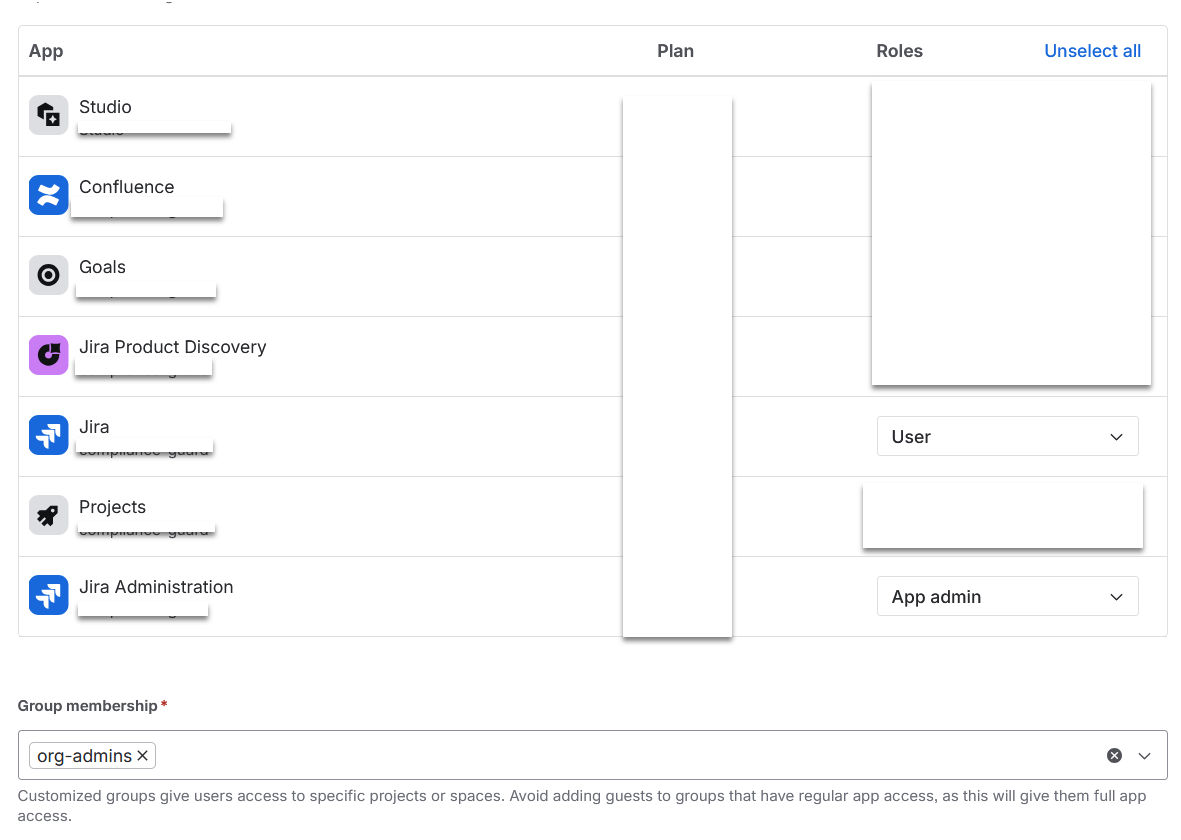
Enter the email address, select User for the Jira app, select App admin for the Jira Administration app, and select org-admins from the Group membership dropdown list, then click Send invite.
-
Select the invited user from the grid to open the details.
-
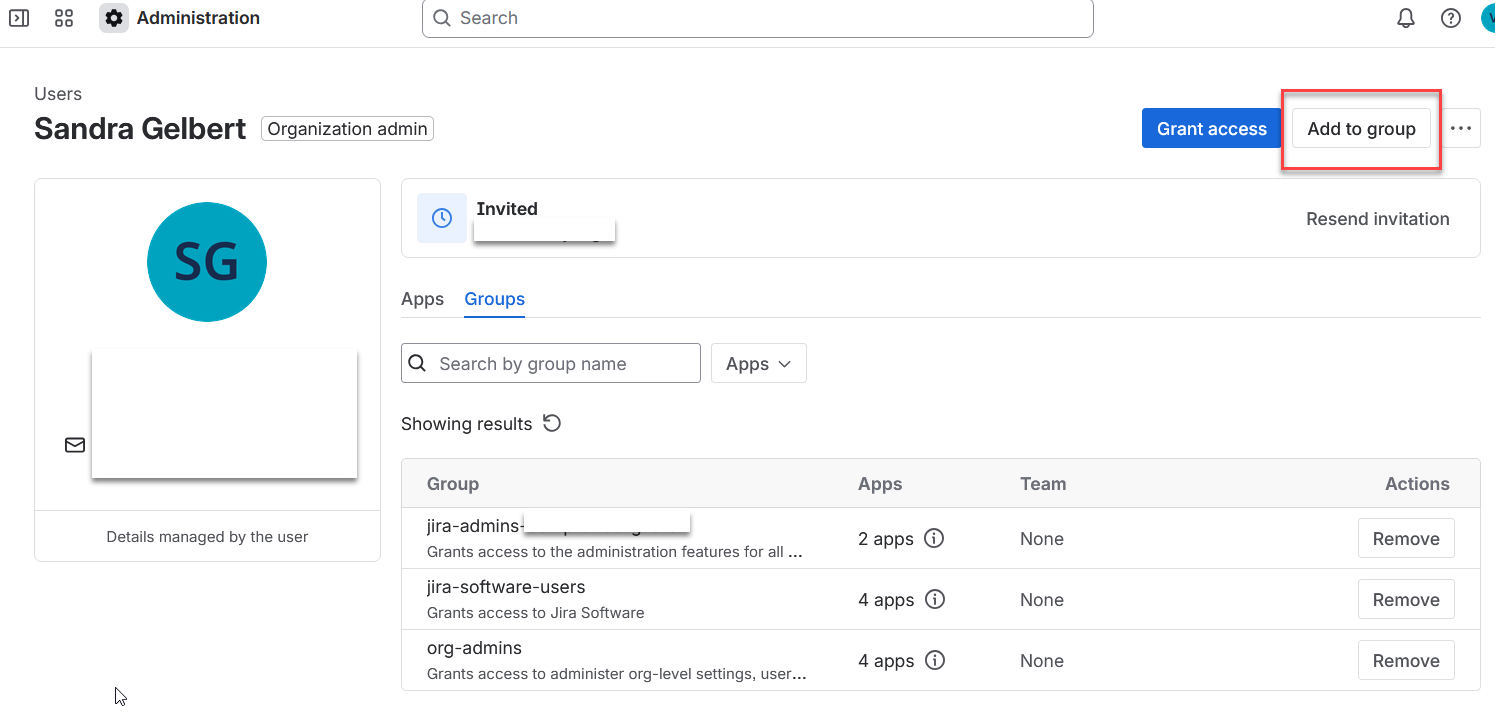
Click the Groups tab for the user.
-
Click Add to group.
-
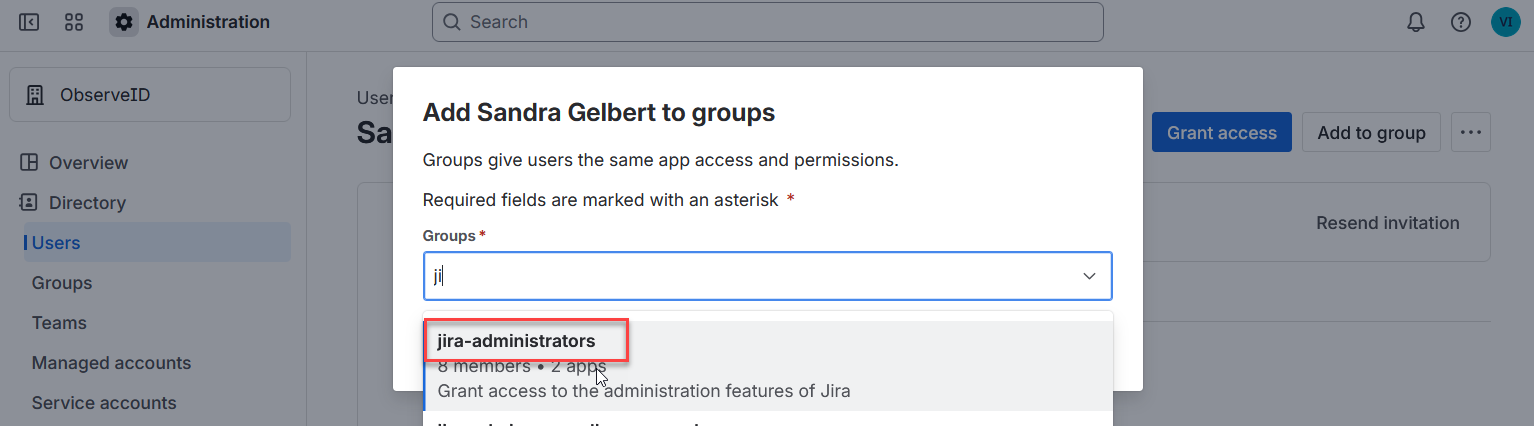
Select jira-administrators in the opened popup window, and click Add groups.
-
Log in to Atlassian with the user account designated for ObserveID.
-
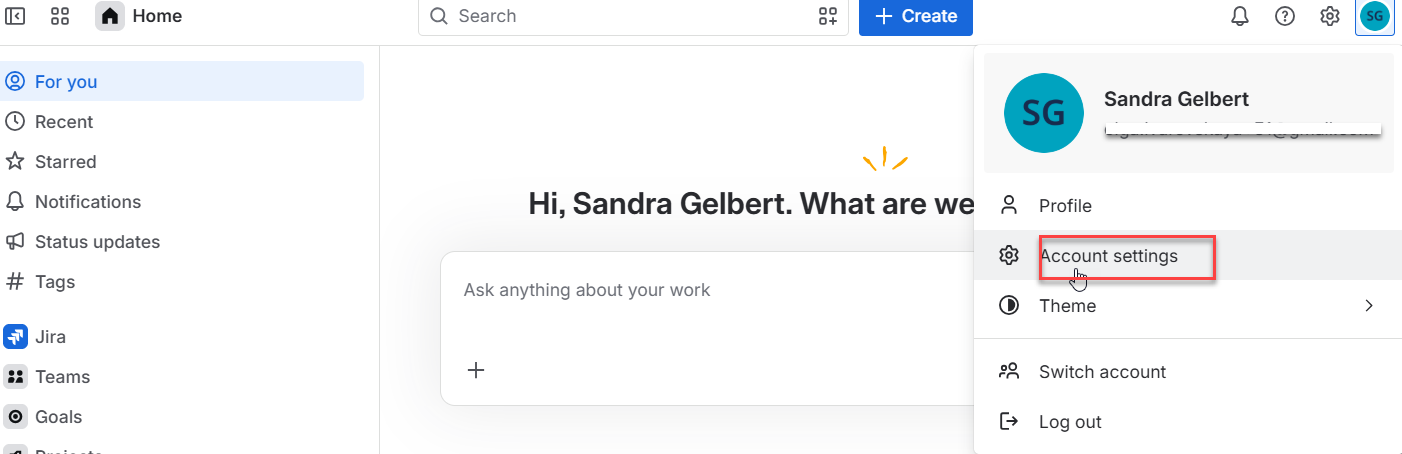
Click Account Settings from the context menu of the user icon.
-
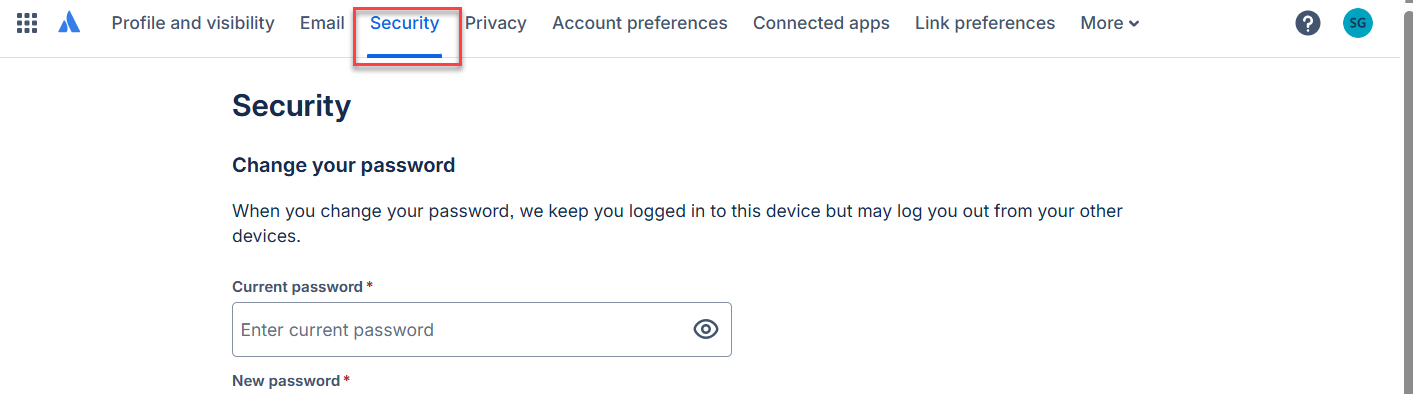
Click Security.
-
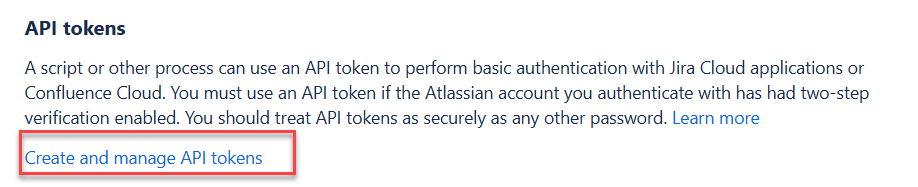
Scroll down to the API tokens section, and click the Create and manage API tokens link.
-
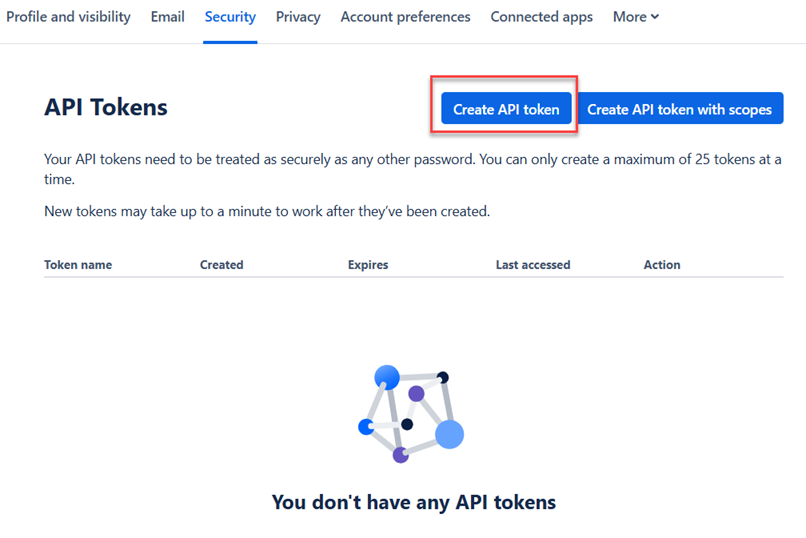
Click Create API token.
-
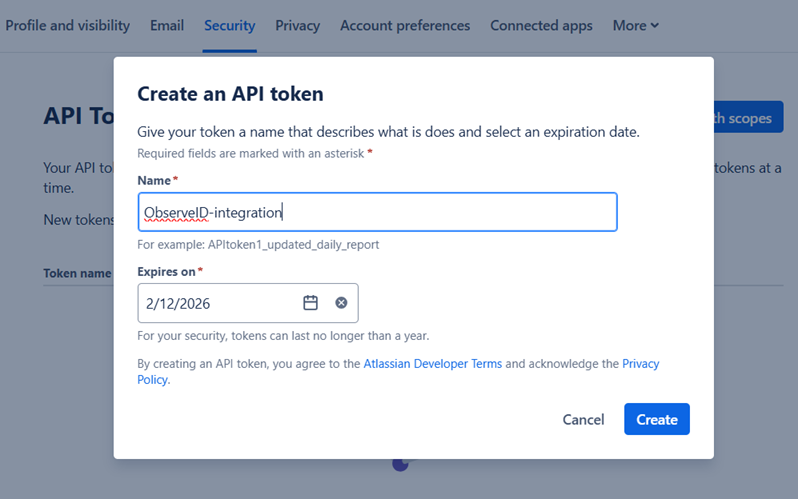
Enter a name for the token and click Create.
-
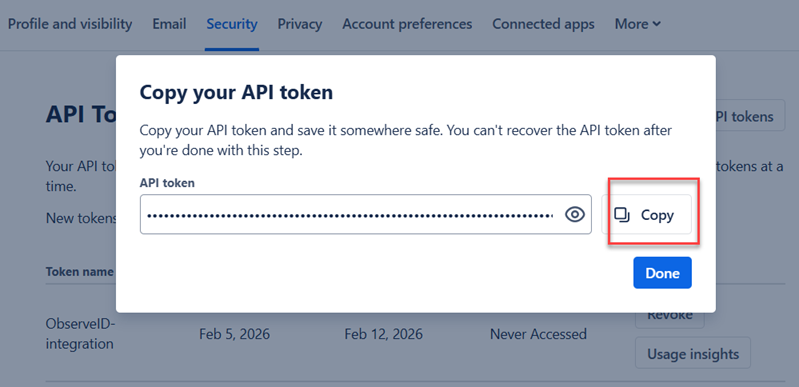
Copy the generated token and store it securely. The token will be required when configuring the integration in ObserveID.
-
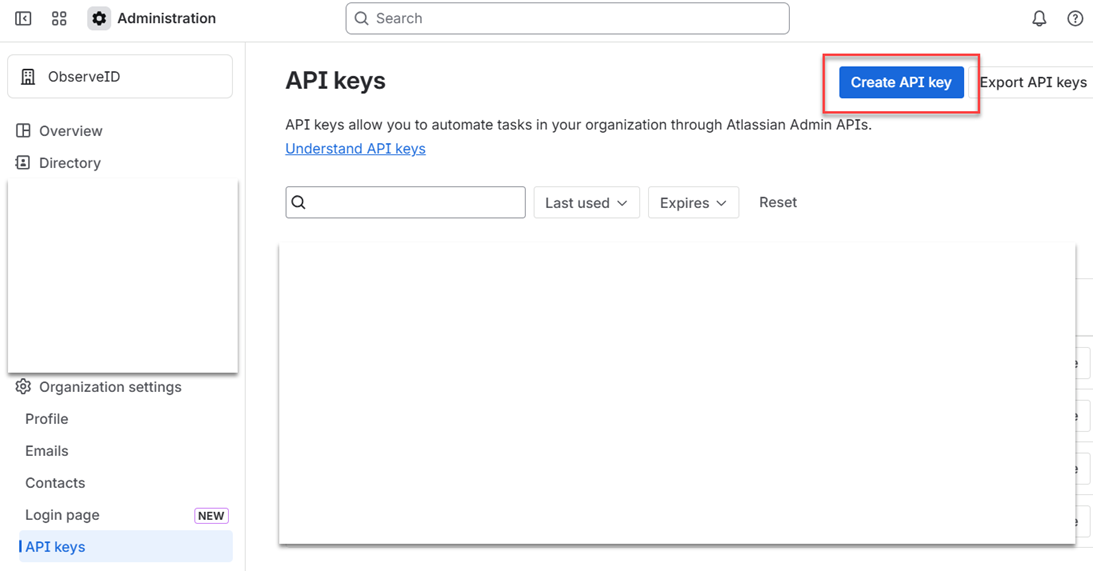
Open the Atlassian Administration portal at: https://admin.atlassian.com/ and navigate to: Organization settings > API keys, then click Create API key.
-
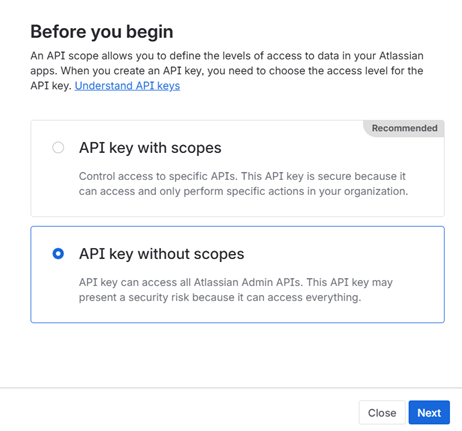
Select API key without scopes, then click Next.
-
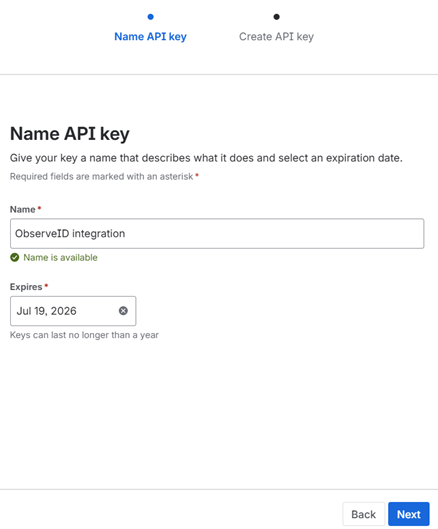
Enter a name for the key, define the expiration date, then click Next.
-
Review the key details and click Create API key.
-
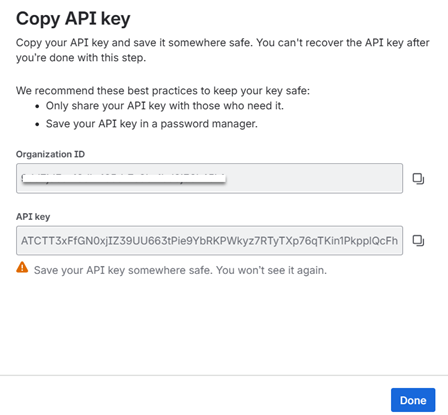
Copy the generated API key and the Organization ID, and store them securely. The key and the ID will be required when configuring the integration in ObserveID.
The Atlassian environment is prepared and all information required for configuring the ObserveID Atlassian integration is available. Proceed with configuring the Atlassian integration in ObserveID.