
Functional capabilities of Atlassian Jira integration
All operations that the integration can perform on the target system are listed under: ObserveID > Identity Automation > Integrations > {a specific Atlassian Jira integration} > Permissions > Operations Permissions
ObserveID provides an additional management layer over integration capabilities and enforces permission inheritance across integrations, allowing user-defined permission precedence to be configured for each operation. The table below outlines the integration operations available for an Atlassian Jira integration.
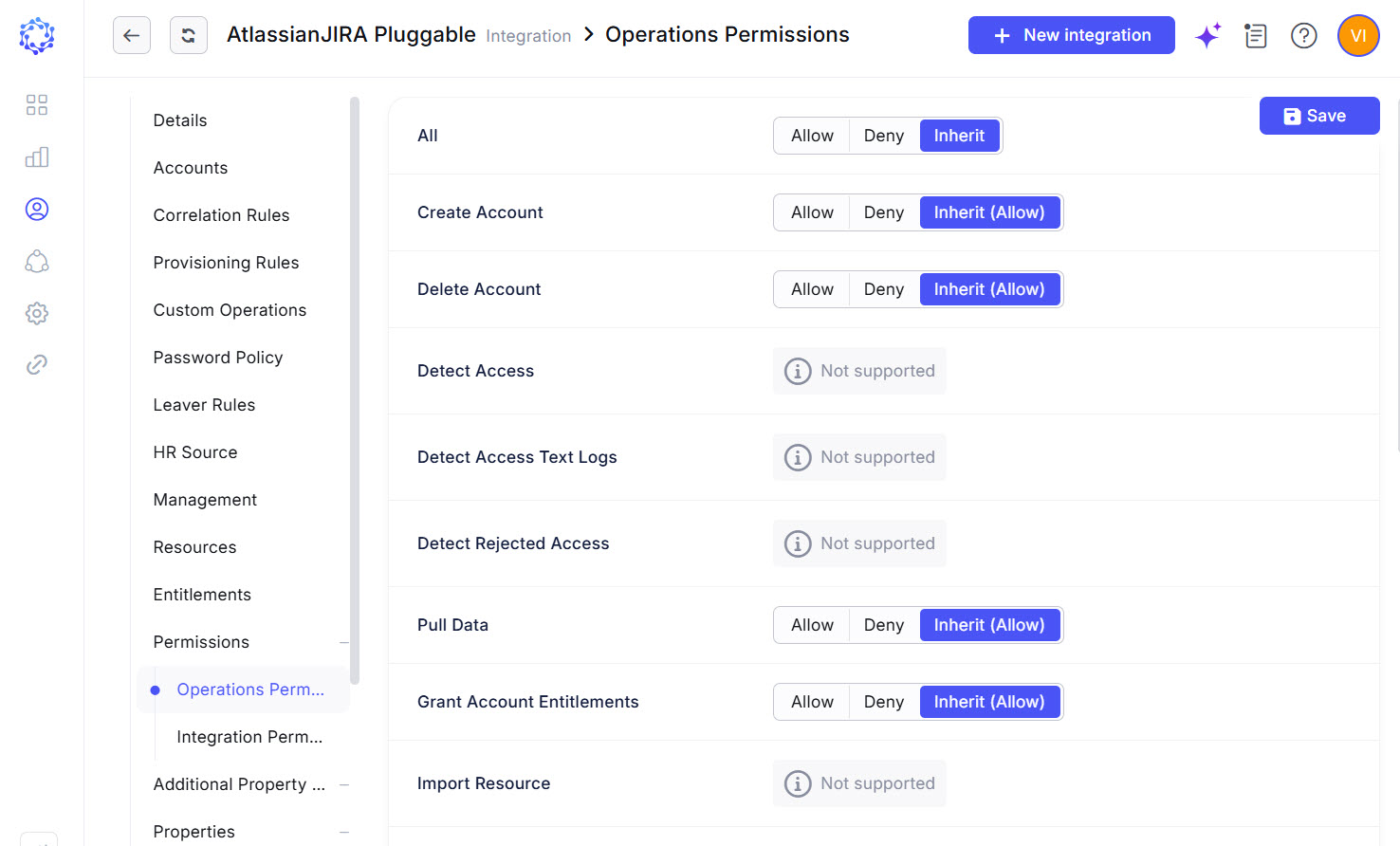 Atlassian Jira integration operations
|
Integration Operation |
Description |
Accessible with |
|
Create Account |
The Atlassian integration can create accounts. It requires Additional Properties to be established for accounts. The Additional Properties are coded with Provisioning Rules. The Additional Properties mandatory on the creation of an Atlassian Jira account are:
|
Access Request, Permanent Access Request, Temporary Access Request, Service Account Creation, Role Creation, Role Update, Identities Update, Onboarding, Reinstatement |
|
Password Management |
Not supported by the Atlassian API. ObserveID does not establish a password during Atlassian account creation and does not support password updates through Password Change requests. Consequently, Atlassian account passwords are not subject to ObserveID password policies or password management capabilities. |
N/A |
|
Delete Account |
The Atlassian integration can remove access of the Atlassian user to the organization resources. The respective history records are stored for every Identity. External accounts are removed from the organization's user directory. Managed accounts remain in the organization's managed accounts directory for further management according to the lifecycle. |
Account Removal, the Finish action on Temporary Access Request, Offboarding, Emergency Deprovisioning |
|
Pull Data |
Within the Atlassian integration, the Integration Data is imported from Atlassian to ObserveID. For what the Integration Data is fetched from Atlassian, refer to the schema of Atlassian integration data. |
Data Import, Identities Update, most workflows |
|
Grant and Revoke Account Entitlements |
The Atlassian entitlements that can be assigned or revoked are:
|
Permanent Access Request, Temporary Access Request, Manage Access, Role Creation, Role Update, Identities Update |
|
Access to Atlassian applications |
Through group provisioning, access to Atlassian applications, such as Jira and Confluence, can be granted. The resulting access is governed entirely by the configuration and permissions assigned to the group on the Atlassian side. |
Access Requests, Custom Operations |
|
Lock and Unlock Account |
When the Atlassian integration unlocks Privileged or Firecall accounts, it sets the usage period for the account. On the Finish button or on the end of the usage period, the unlocked account is locked back. When an Atlassian account is unlocked, its |
Privileged Unlock Request, Temporary Access Request, Firecall Unlock Request, Manage Access, Permanent Access Request |
|
Test Connection |
It is possible to troubleshoot if there is a connection between ObserveID and the Atlassian target. |
Data Import, Test Connection |