
Functional capabilities of MS SQL integration
All operations that the integration can perform on the target system are listed under: ObserveID > Identity Automation > Integrations > {a specific MS SQL integration} > Permissions > Operations Permissions
ObserveID provides an additional management layer over integration capabilities and enforces permission inheritance across integrations, allowing user-defined permission precedence to be configured for each operation. The table below outlines the integration operations available for an MS SQL integration.
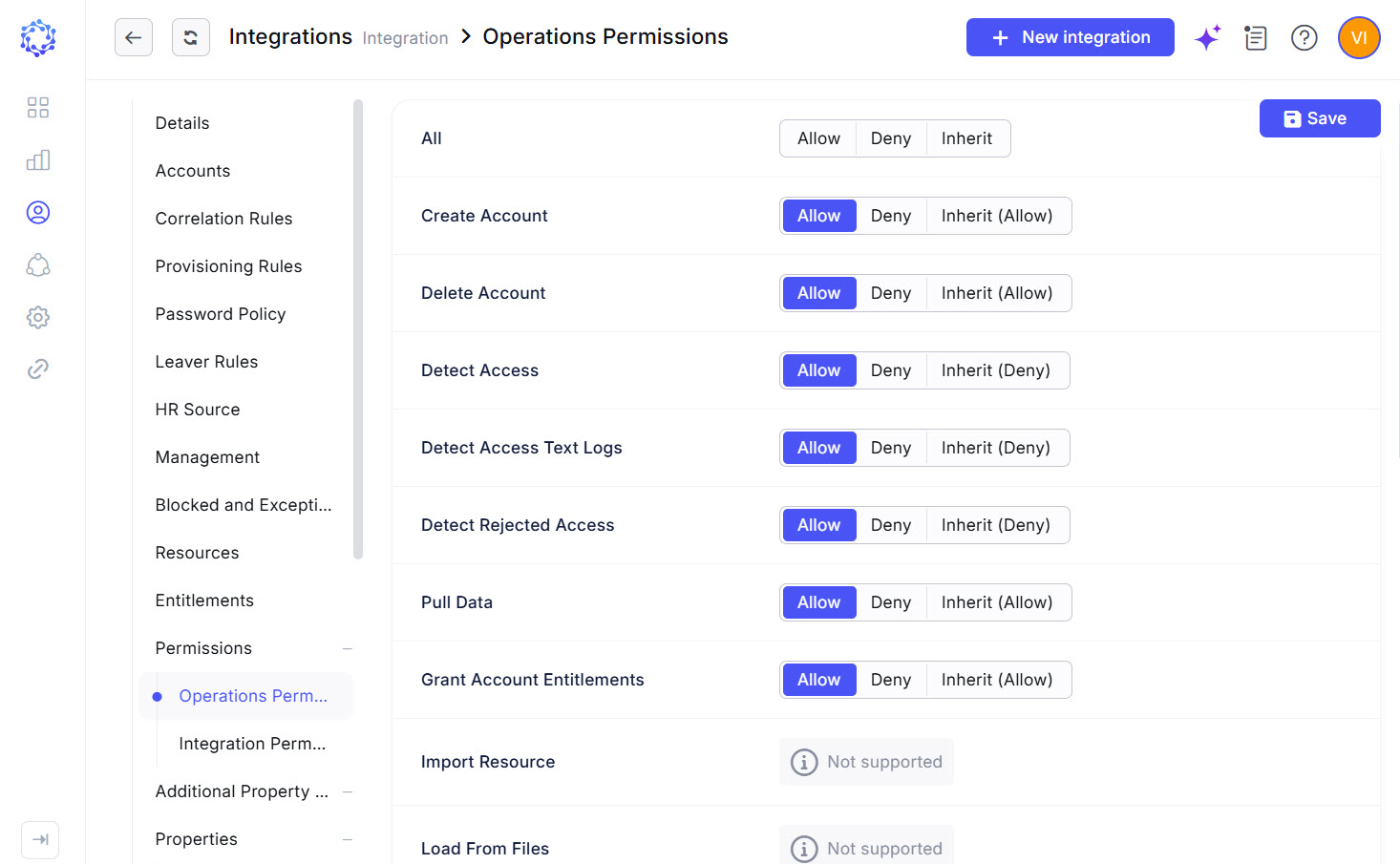 MS SQL integration operations
|
Integration Operation |
Description |
Accessible with |
|
Create Account |
The MS SQL integration can create accounts. It requires Additional Properties to be established for accounts. The Additional Properties are coded with Provisioning Rules. The Additional Properties mandatory on the creation of a MS SQL account are:
|
Access Request, Permanent Access Request, Temporary Access Request, Service Account Creation, Role Creation, Role Update, Identities Update, Onboarding, Reinstatement |
|
Delete Account |
The MS SQL integration can delete accounts. The respective history records are stored for every Identity. |
Account Removal, the Finish action on Temporary Access Request, Offboarding, Emergency Deprovisioning |
|
Detect Access |
The MS SQL integration can help one track the user’s sessions on the Target. User sessions detected on the MS SQL target can be compiled into a report. The detected session records are provided with extra details:
|
Audit Log report type in Analytics |
|
Detect Access Text Logs |
MS SQL provides a log of events and activities performed for every detected session. The information is presented with the following json-data schema:
|
Text Log Events column in the Audit Log report type in Analytics |
|
Detect Rejected Access |
The MS SQL integration can help one track all blocked attempts to authenticate on the Target. |
Access State column in the Audit Log report type in Analytics |
|
Pull Data |
Within the MS SQL integration, the Integration Data is imported from MS SQL to ObserveID. For what the Integration Data is fetched from MS SQL, refer to the schema of MS SQL integration data. |
Data Import, Identities Update, most workflows |
|
Grant and Revoke Account Entitlements |
The MS SQL entitlements that can be assigned or revoked are:
|
Permanent Access Request, Temporary Access Request, Manage Access, Role Creation, Role Update, Identities Update |
|
Lock and Unlock Account |
When the MS SQL integration unlocks Privileged or Firecall accounts, it sets the usage period for the account. On the Finish button or on the end of the usage period, the unlocked account is locked back. When an MS SQL account is unlocked, its |
Privileged Unlock Request, Temporary Access Request, Firecall Unlock Request, Manage Access, Permanent Access Request |
|
Manage Blocked List |
If the Blocked List capability is configured, the Manage Blocked List operation allows or denies the corresponding tasks to read and write blocked list policies on the SQL Server. |
PullBlackListsTask, PushBlackListsTask |
|
Test Connection |
It is possible to troubleshoot if there is a connection between ObserveID and the MS SQL target. |
Data Import, Test Connection |
|
Update Account Additional Properties |
MS SQL account properties can be updated if an Identity’s property has changed. Provisioning Rules should be configured to pass an Identity’s property to the MS SQL account. |
Identities Update |
|
Update Account Credentials |
A password can be set for an account on Account Creation, or updated with a workflow according to the Password Policy. For Privileged or Privileged Service account types, the password can be rotated. The password is rotated if ‘yes’ is established for a MS SQL account in its ‘Rotatable’ property. |
Password Change Request, Privileged Access Management Request, Firecall Unlock Request |