
Application Build 3.5 and UC 3.2
April 2026
Release 3.5 delivers significant enhancements across automation, analytics, governance, and usability, while extending deployment and integration flexibility. Overall, this release reduces administrative effort, improves productivity, provides deeper insight into access risk, integration management, and configuration governance, and strengthens operational efficiency.
Key feature enhancements include:
- Shell Import: Automated multi-integration setup
- Obi: AI-powered assistant for analytics, integrations, and governance workflows
- Identities: Local roles visibility and administrative identity governance
- Analytics: Chart threshold filter and new Integrations report
- UX/UI Updates: Total record count and advanced filters for the Resources grid
- Logging: Integration configuration auditing and REST API access
- Deployment: Support for on-premises environments
- Integrations: Enhancements for LDAP, Azure, ADP, MySQL, and Google Workspace
New Features & Enhancements
Automated Multi-Integration Setup via Shell Import Request
A new Shell Import Request has been introduced to enable automated, bulk setup of Linux and Windows integrations based on resource data from an integration configured with the Import Resource capability. This feature simplifies large-scale integration onboarding by allowing administrators to generate multiple integrations from a single source.
-
The Shell Import wizard guides administrators through a structured configuration process, including selecting eligible source integrations, choosing available shell resources, and assigning service accounts for authentication and target hosts for Remote Connect. Upon successful execution, each selected shell is created as an individual integration and appears in the Integrations grid, with initial test connection performed and the data import task created.
-
To serve as a source for Shell Import, an integration must have the Import Resource operation enabled and be properly configured (including required services such as WinRM, where applicable). Shell Import is currently supported for integrations such as Azure, AWS, and LDAP, with additional integrations available upon request.
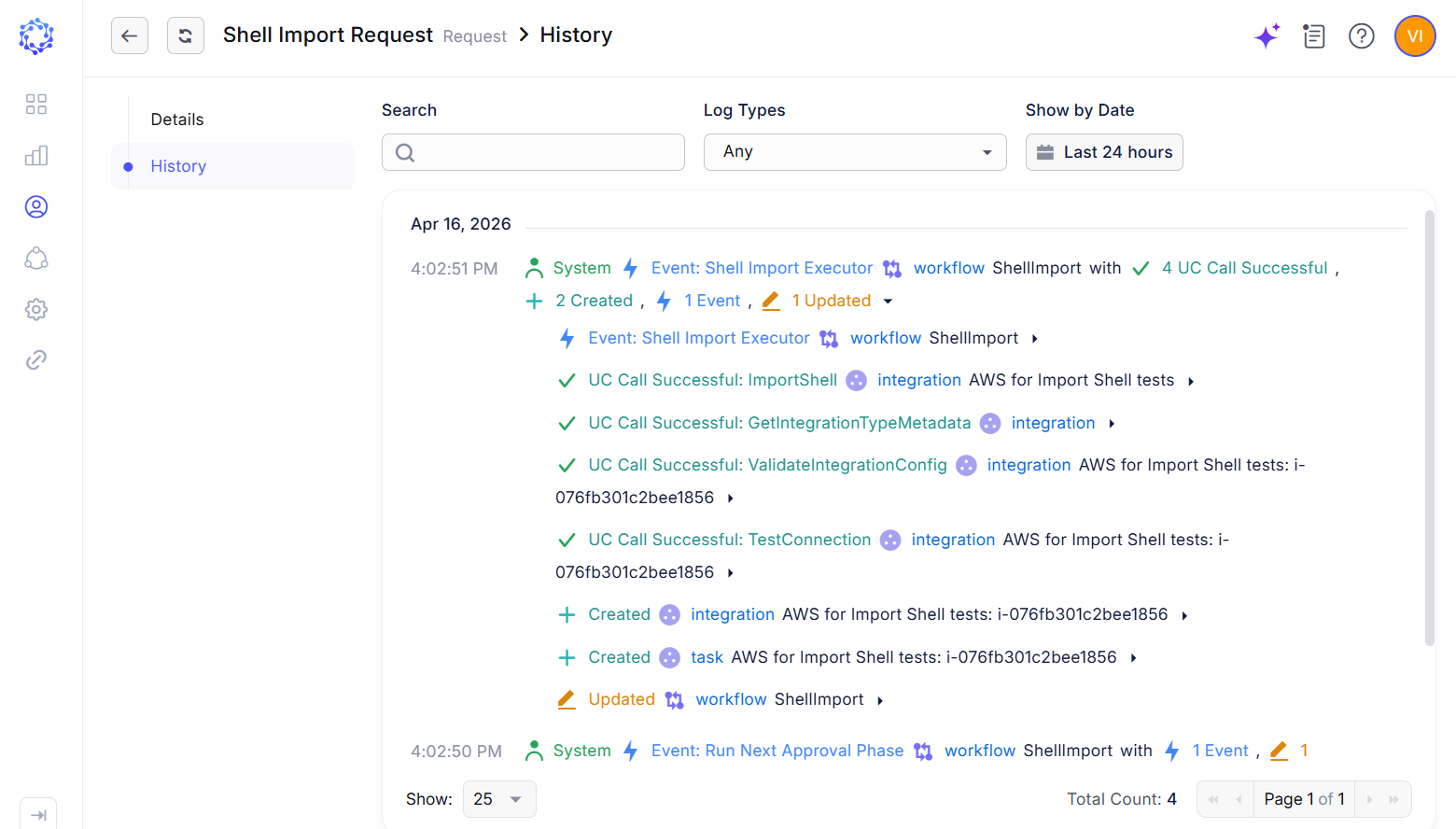 Shell Import Request results
Obi, AI-powered assistant
This release introduces Obi, an AI-powered assistant designed to help users achieve desired outcomes in ObserveID through natural language interaction. Obi enhances productivity across multiple areas, including generating Analytics reports, defining integration onboarding and provisioning rules, and evaluating access eligibility during certification and audit processes.
-
AI-Assisted Analytics Reporting: Users can now generate Analytics reports by describing in plain language the information they need. Obi interprets the request, determines the appropriate report type, and automatically applies the relevant filters to produce a report aligned with the user’s query. This capability simplifies access to Analytics features and unlocks the full value of structured data through natural language interaction.
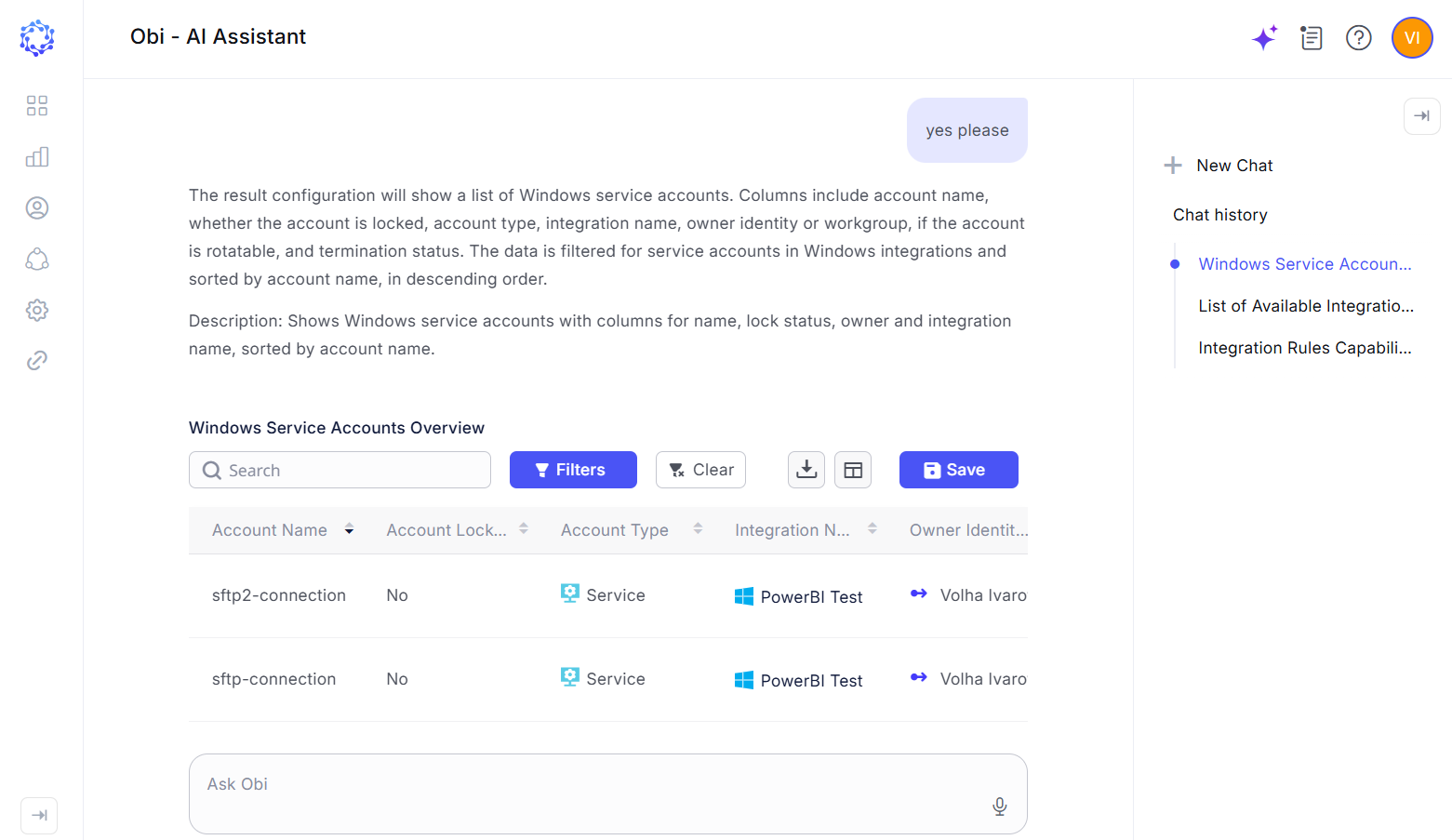 Obi AI building an Analytics report
 -
AI-Assisted Integration Rule Creation: Creating integration onboarding and provisioning rules often requires technical expertise due to the complexity and flexibility needed to support diverse business scenarios. Obi removes this barrier by enabling users to define rule logic in plain language. Users can describe the intended behavior, and Obi automatically generates the corresponding integration rules in alignment with the provided requirements.
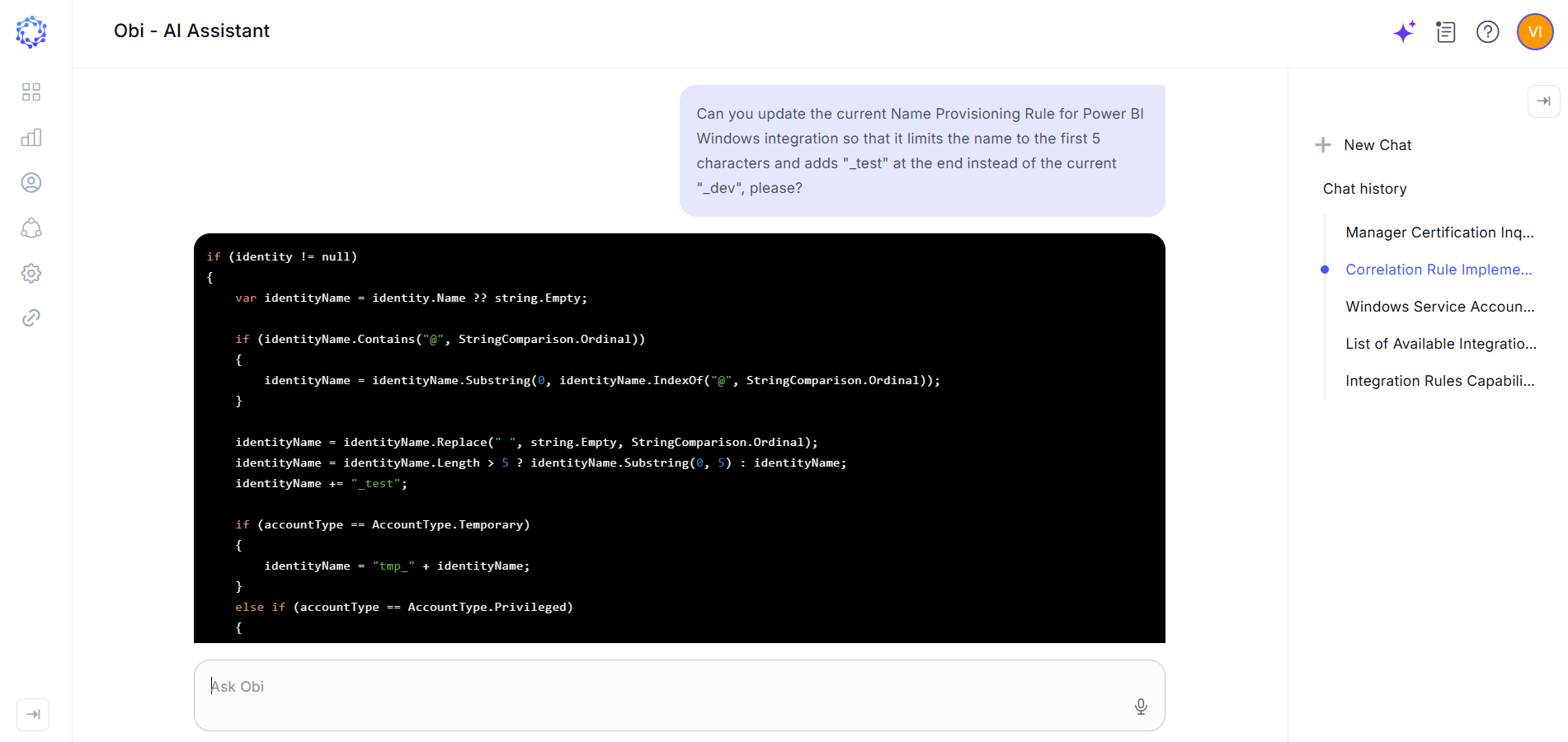 Obi AI working on a provisioning rule
 -
AI-Assisted Certification Campaigns and Access Analysis: Obi is now available within Certification as a new AI-powered tool for both campaign creation and advanced access analysis. Users can leverage Obi to help build certification campaigns by identifying populations and access sets that warrant review. Obi can also analyze existing access assignments to detect potential policy breaches, segregation-of-duties conflicts, and high-risk entitlement combinations. These capabilities support more targeted audits, earlier threat detection, and timely recommendations for access remediation.
-
Configurable Multi-Model Support: The platform now supports independent configuration of multiple Large Language Models (LLMs), enabling organizations to connect and govern their own AI resources. Individual models can be assigned specialized functions, such as a general conversational assistant, an Analytics model for translating natural language requests into report logic, an Integration Onboarding model for converting business requirements into correlation and provisioning rule logic, or a coding model for generating functional, compilable C# code.
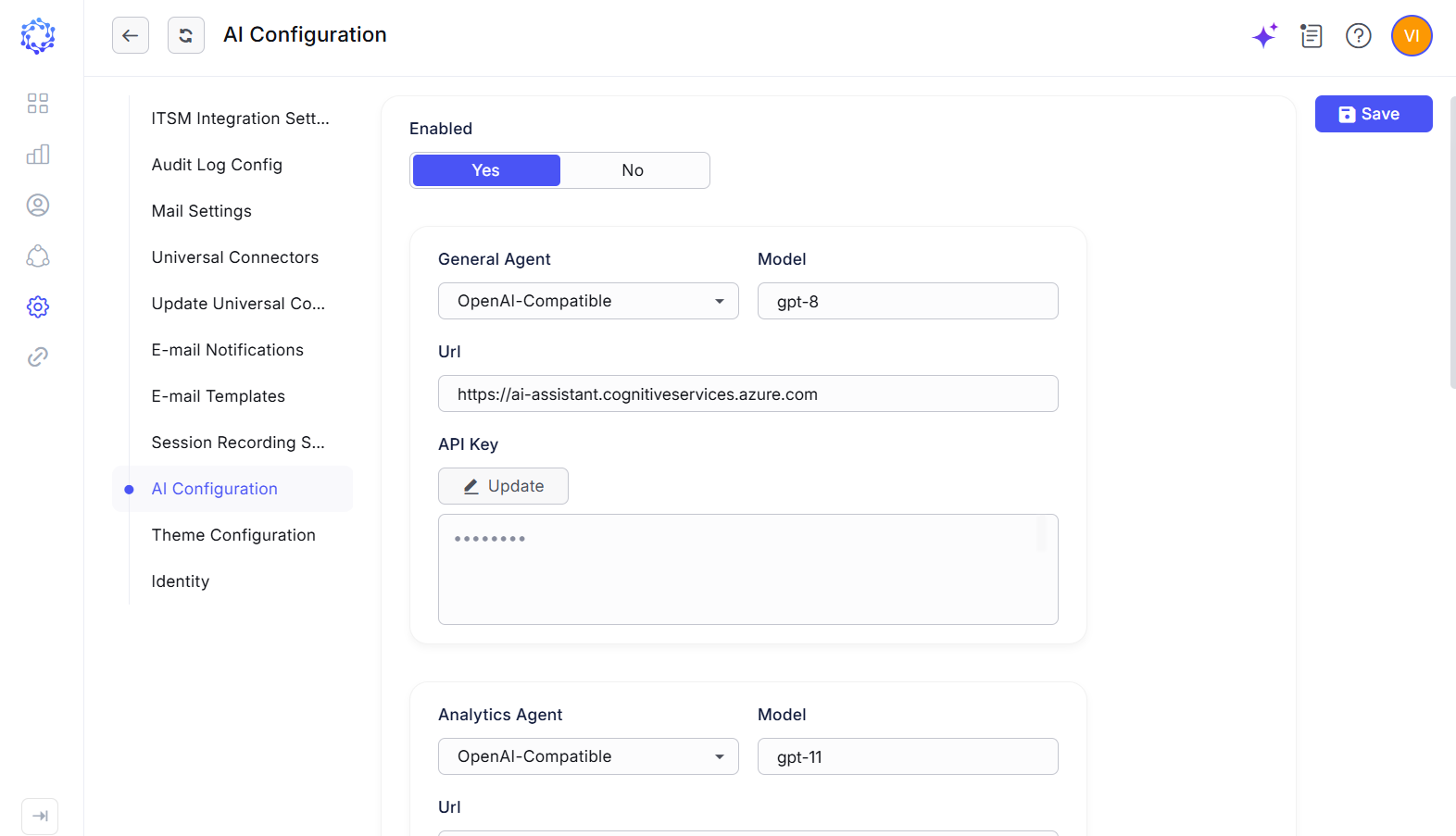 LLM Configuration
Identities Display Local Role
In addition to system-managed, authoritative source, and calculated identity attributes, Identity Details now include local access data, retrieved from ObserveID as the IGA platform.
-
This enhancement expands Analytics capabilities by incorporating the local entitlement perspective into identity reporting and governance processes. The Identities grid and Analytics reports now provide additional filtering and search dimensions based on local access attributes. Administrators can use these data points to review identities with specific local roles, analyze combinations of local assignments, identify access patterns, and strengthen broader access governance activities.
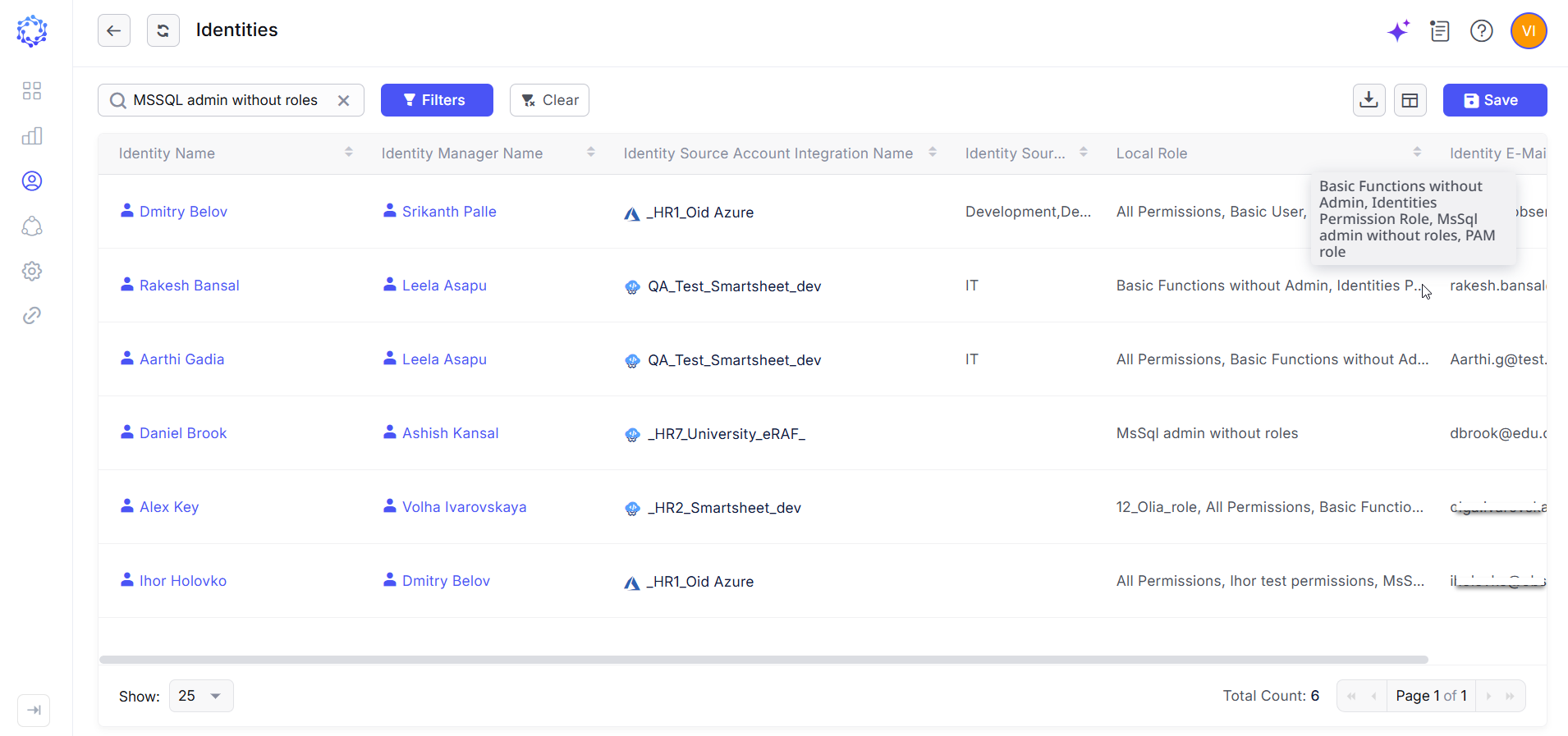 Filtering identities by a local role
Administrative Identity Governance
Administrators can now create administrative identities through the New Identity option in the Administration area, ensuring that privileged identities remain within the scope of governance controls.
-
This new identity type provides greater flexibility for defining administrative-specific attributes and managing privileged account lifecycle requirements. Email address is used as the unique identifier for each administrative identity, and local platform access is provisioned at the time of creation.
-
To strengthen identity governance, administrative identities can be configured with multi-factor authentication (MFA), assigned an accountable manager, and included in recurring access certification campaigns.
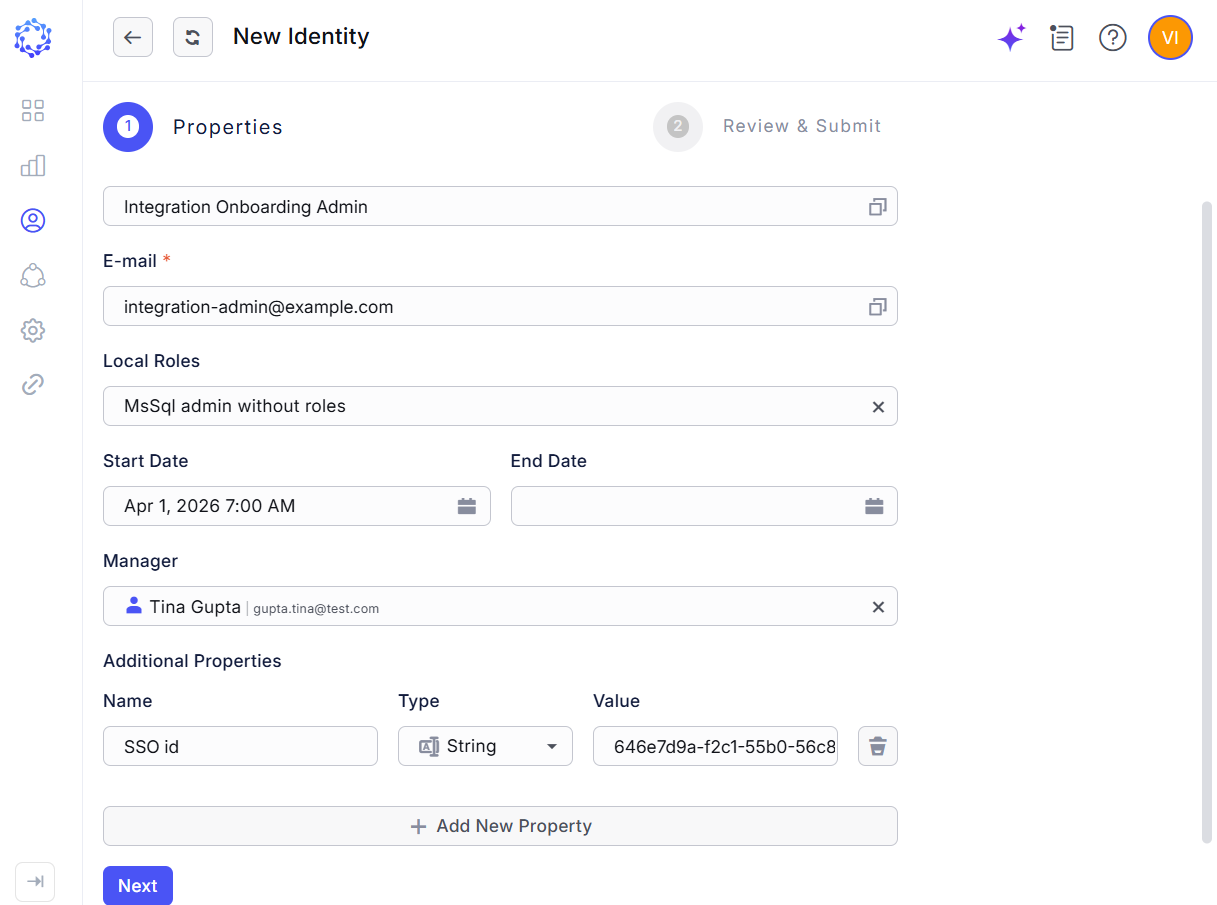 New Identity option in Administration
Analytics Updates
-
Chart Threshold Filter:
A new Chart Filter has been added to the Chart Options part of an Analytics report to improve risk analysis and visualization. In these reports, the Data and Filters section defines security risk indicators or policy conditions that are evaluated using OR-based logic. When charting results, the new filter allows users to specify the minimum number of matched indicators required for an item to be included in the visualization.
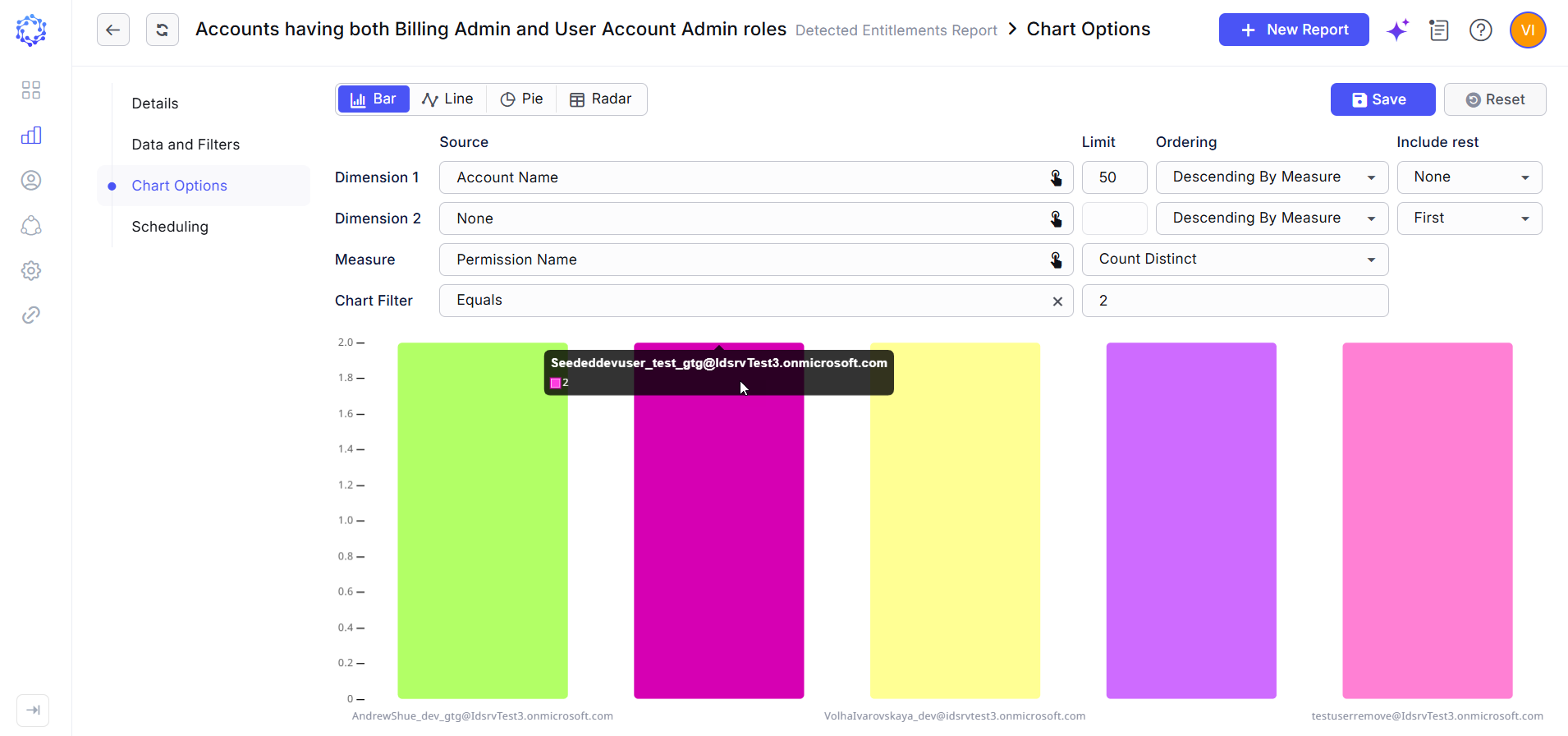 Chart Filter showing accounts having two specified entitlements
 -
New Integrations Report:
Analytics now includes a new report type - the Integrations Report - designed to provide broader visibility into connected system management. The report enables administrators to analyze and categorize integrations across multiple dimensions, including ownership, account and resource volumes, geographic location, and other operational criteria.
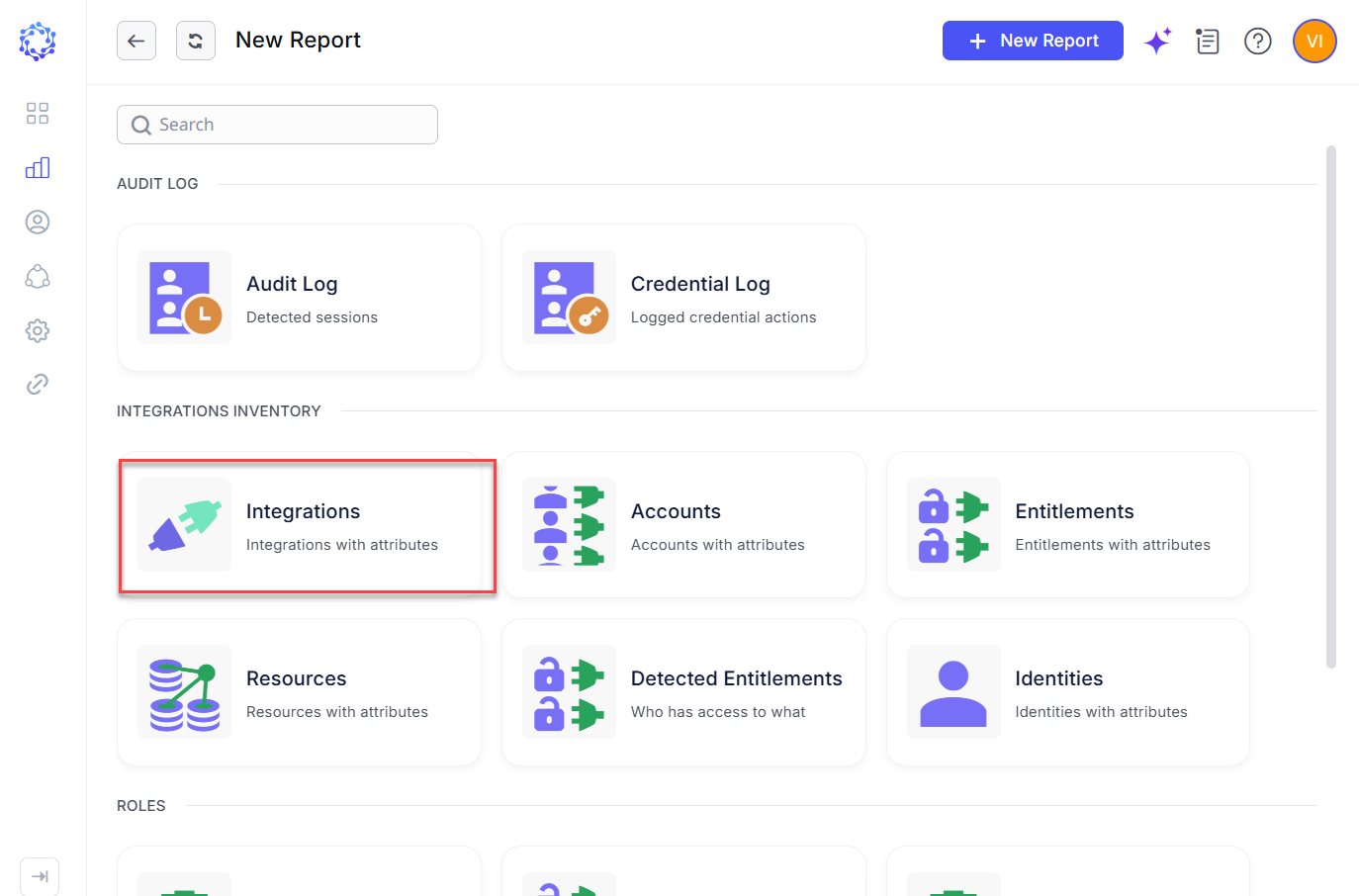 New Integrations report
UX/UI Updates
-
Total Record Count in Grids:
All grids now display the total number of available records, providing users with immediate visibility into dataset size and query results.
-
Resources Grid Having Analytics Filters:
The Resources grid now includes advanced Analytics-style filtering capabilities. Users can apply complex filter conditions, customize and reorder columns, and save configured views for future use, improving efficiency and data analysis.
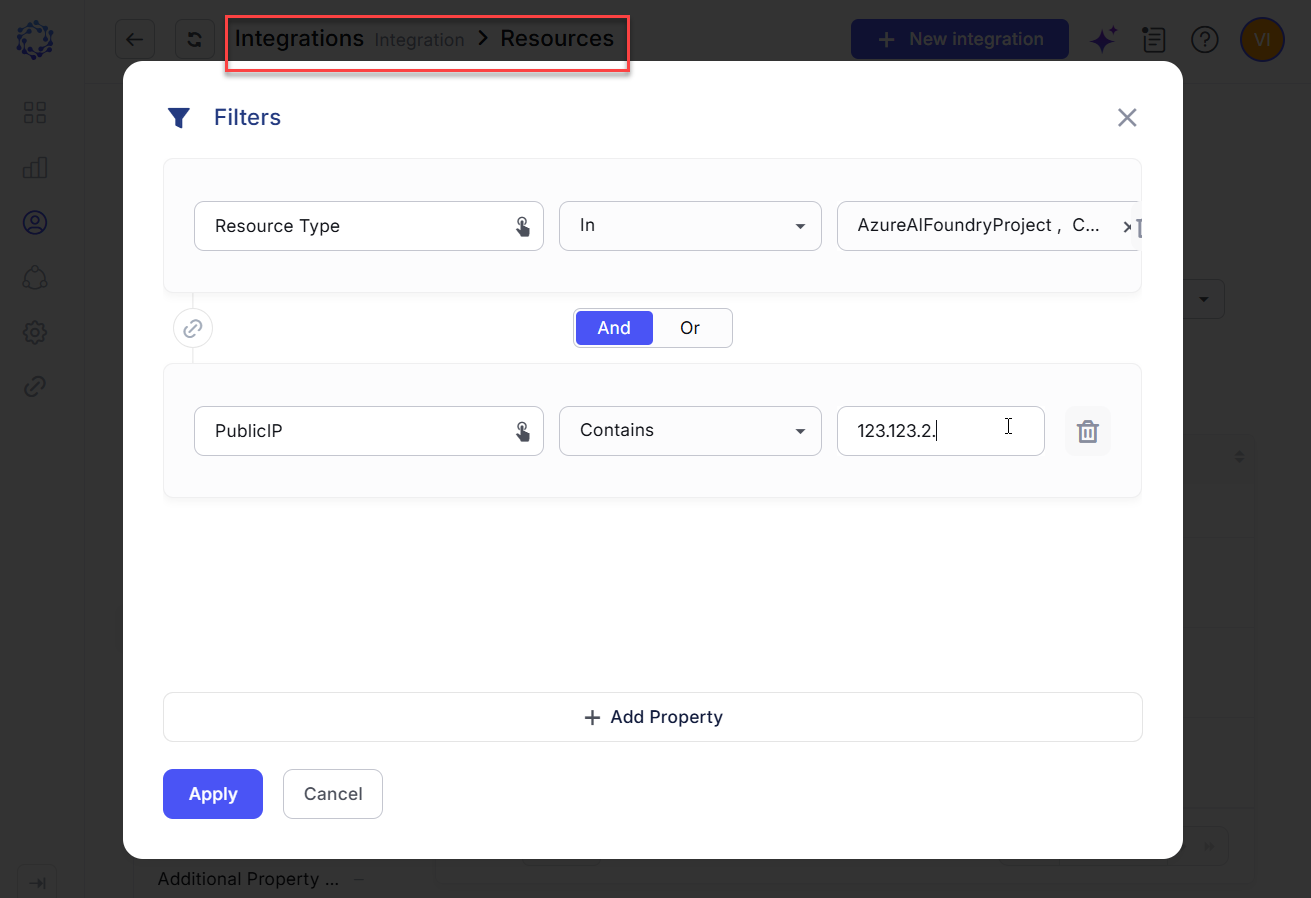 Analytics Filters in the Resources grid
Logging Enhancements
-
Integration Configuration Changes Added to Access Log:
The Access Log now captures configuration changes made on the Details page of an integration, expanding system-level audit coverage. Logged events include updates to core integration settings as well as configuration changes related to integration-specific functional capabilities. Each record includes change attribution details, enabling administrators to identify who made the change, what was modified, and when the update occurred.
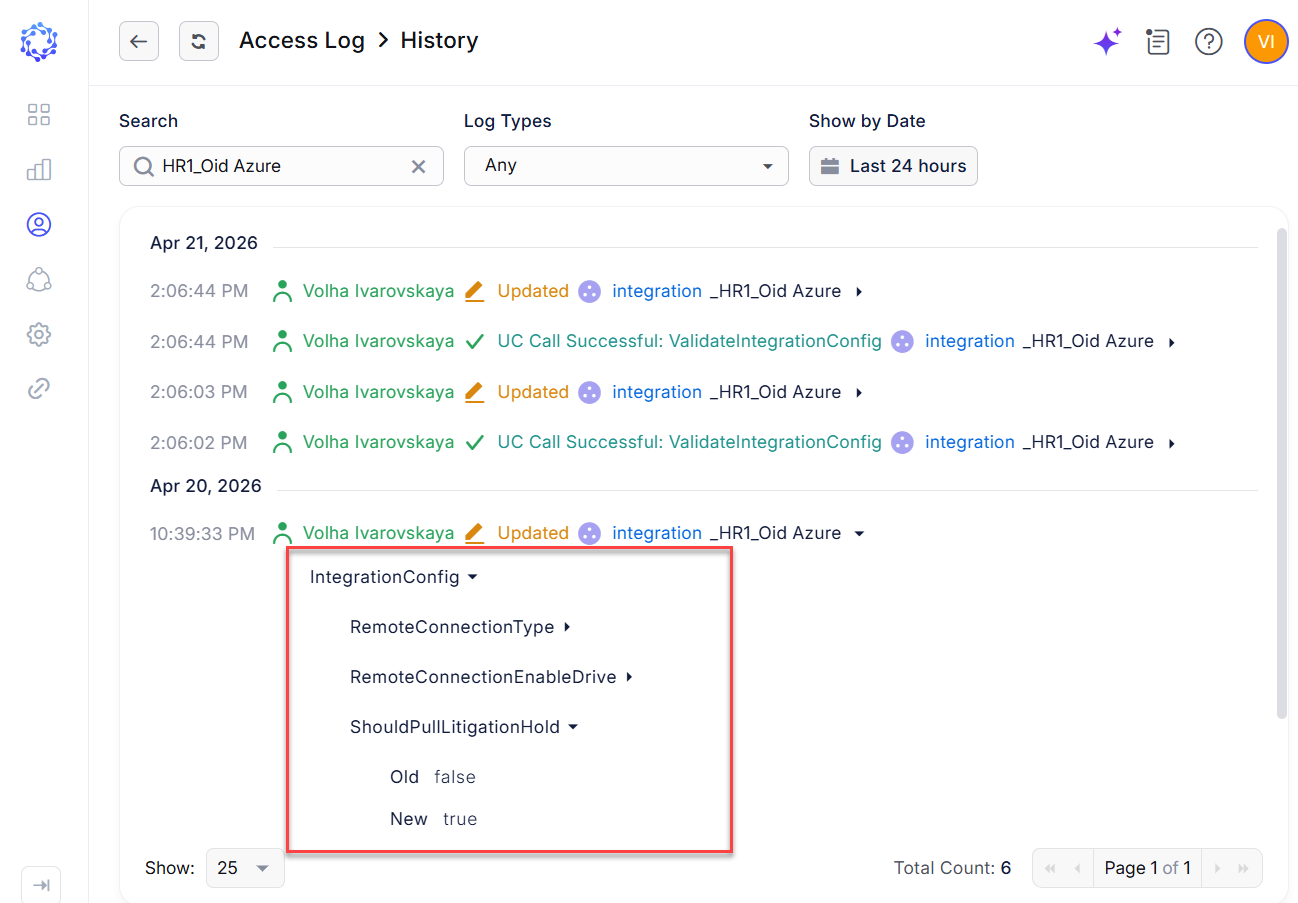 Logging changes in Integration Configuration
 -
Access Log Available Through REST API:
The Access Log is now accessible through a secure, paginated REST API for programmatic querying and audit retrieval. Administrators can use a centralized endpoint to retrieve access events filtered by criteria such as action type, object type, identity, timestamp range, and other supported parameters.
Support for On-Premises Deployment
ObserveID now supports deployment in customer-managed on-premises environments, enabling organizations to keep infrastructure, applications, and data within internal security and compliance boundaries. The deployment architecture is built on the RKE2 Kubernetes distribution and includes OpenBao for centralized secrets management and SeaweedFS for scalable distributed storage.
Specific Integration Updates
-
LDAP integration:
The LDAP integration data model has been enhanced to support retrieval and management of the AccountExpires attribute for accounts and the ManagedBy attribute for groups. These properties can be governed through custom provisioning rule logic and updated in bulk by using the Identities Update or Custom Operation requests. Additionally, administrators can now exclude accounts based on user object class criteria and use the Server Filter to define which resources are included during data aggregation.
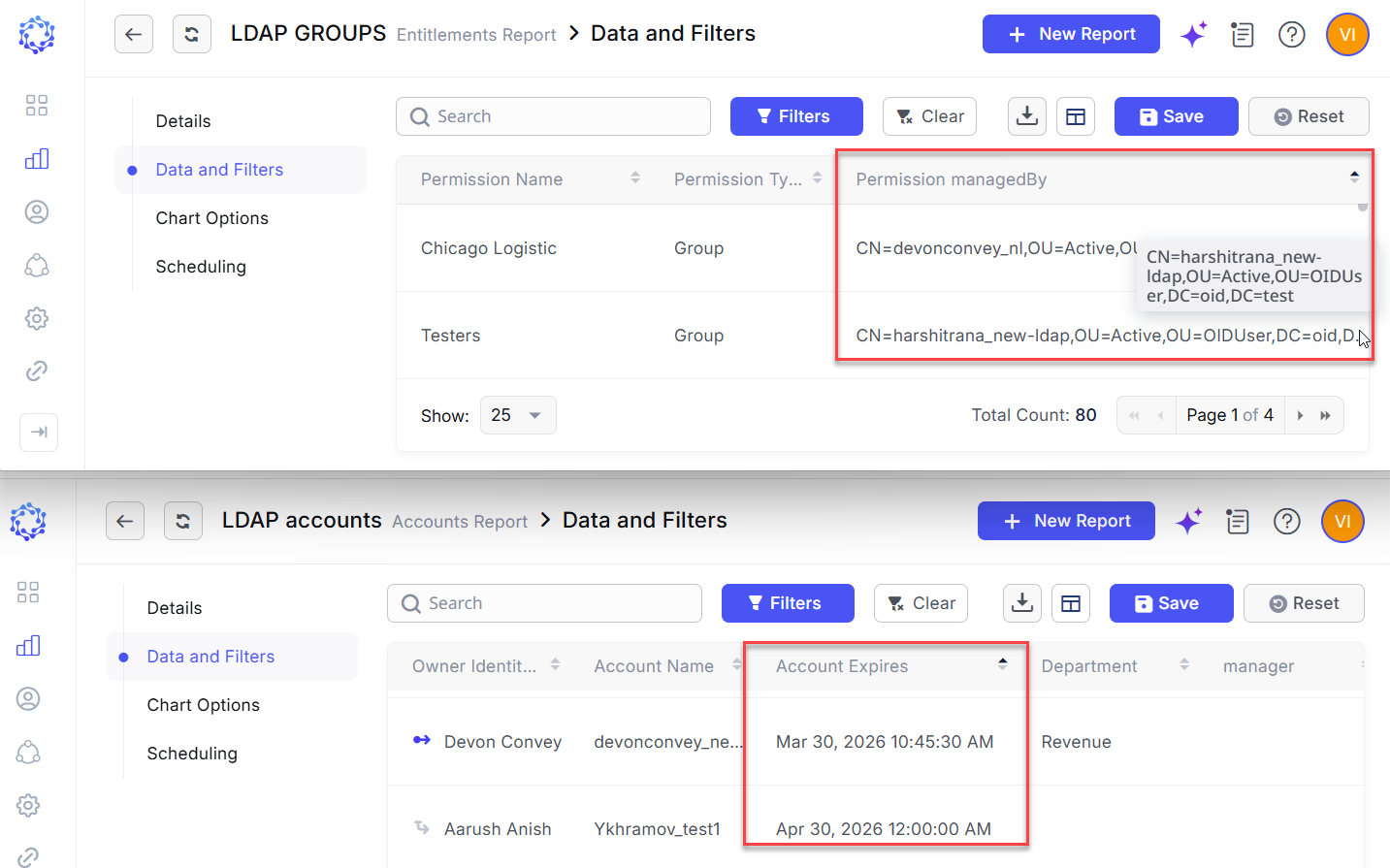 LDAP integration data examples
 -
Azure integration:
The Azure integration has been enhanced for Office 365 Exchange Online and Microsoft 365 environments. It now supports retrieval of Global Address List (GAL) data and enables management of Microsoft 365 account access to organizational resources during core identity lifecycle events, such as onboarding, updates and offboarding.
-
ADP integration:
A new ADP integration is now available, designed primarily to serve as an authoritative source of trusted workforce data. As a system of record for ObserveID, the integration supports identity creation and lifecycle management while enabling enforcement of an attribute authority model for governed identity data.
-
MySQL integration:
A new MySQL integration is now available. It retrieves identity and access data directly from MySQL servers through the native MySQL client-server protocol and aggregates that information into the ObserveID platform for centralized governance and analysis. This integration provides visibility and control over MySQL accounts, supports access reviews across schemas and tables, and enables entitlement cataloging across database permissions and resource types.
-
Google Workspace integration:
A new Google Workspace integration is now available. The integration retrieves Google Workspace user accounts and associated access data from Google and aggregates it into the ObserveID platform for governance and analysis by leveraging the Admin SDK API. When required, the Workspace dataset can be extended with cloud resource information obtained through the Cloud Resource Manager API and the Identity and Access Management (IAM) API. This enhancement provides centralized visibility, governance, and control over Google Workspace identities and their access across connected cloud resources.
Affected Components & Modules
- Integration Operations
- Integration Onboarding
- Requests
- AI
- Identities
- User Access Control
- Analytics
- Charts
- Grids
- Logging
- Deployment
- LDAP integration
- Azure integration
- ADP integration
- MySQL integration
- Google Workspace integration
Note:
The release will be deployed during non-business hours to minimize disruption. Downtime is expected to be less than five minutes, and users are unlikely to experience any noticeable interruption.
References & Support
For detailed instructions or additional technical assistance, please contact your ObserveID support representative at [email protected].
Thank you for choosing ObserveID!